

LLM observability and cost management on HPE Private Cloud AI
March 6, 2026LLM (Large language Model) observability and cost management are critical for deploying reliable, secure, and financially sustainable AI applications. By tracking metrics like token usage, latency, and output quality, teams can prevent runaway costs, reduce hallucinations, and ensure regulatory compliance.
LiteLLM and Langfuse together provide a powerful, open-source stack for LLM observability and cost management (tokenomics), allowing developers to unify, trace, and monitor API usage across hundreds of models. LiteLLM acts as the proxy/SDK to normalize requests and track usage, while Langfuse records these interactions for detailed analysis of token usage, latency, and costs.
This blog post walks you through deployment and configuration of LiteLLM and Langfuse on HPE Private Cloud AI. By leveraging these technologies, organizations can perform token-level cost tracking, granular tracing, output streaming and cost analysis of LLMs and AI applications deployed on HPE Private Cloud AI.
HPE Private Cloud AI
HPE Private Cloud AI (HPE PCAI) offers a comprehensive, turnkey AI solution designed to address key enterprise challenges, from selecting the appropriate LLMs to efficiently hosting and deploying them. Beyond these core functions, HPE Private Cloud AI empowers organizations to take full control of their AI adoption journey by offering a curated set of pre-integrated NVIDIA Inference Microservices (NIM) LLMs, along with a powerful suite of AI tools and frameworks for data engineering, analytics, and data science.
HPE Machine Learning Inference Software (MLIS) is an enterprise-grade solution designed to simplify the deployment, management, and monitoring of machine learning (ML) models at scale. It specifically targets the complexities of moving models from development into production, with a particular focus on large language models.
HPE AI Essentials (AIE) Software is the integrated software layer that provides the tools for building, deploying, and managing generative AI applications, including HPE MLIS. It provides a flexible Import Framework that enables organizations to deploy their own applications or third-party solutions, like LiteLLM and Langfuse.

Deploy Langfuse and LiteLLM via Import Framework
1. Prepare the Helm charts for Langfuse
Obtain the Helm chart for Langfuse from the GitHub repository and implement the prerequisites. Here's the reference document for the import framework prerequisites.
These updates are implemented in the revised Langfuse Helm charts, and are available in the GitHub repository. With these customizations, Langfuse can now be deployed on HPE Private Cloud AI using Import Framework.
2. Deploy and configure Langfuse
Use import framework in HPE Private Cloud AI to deploy Langfuse.
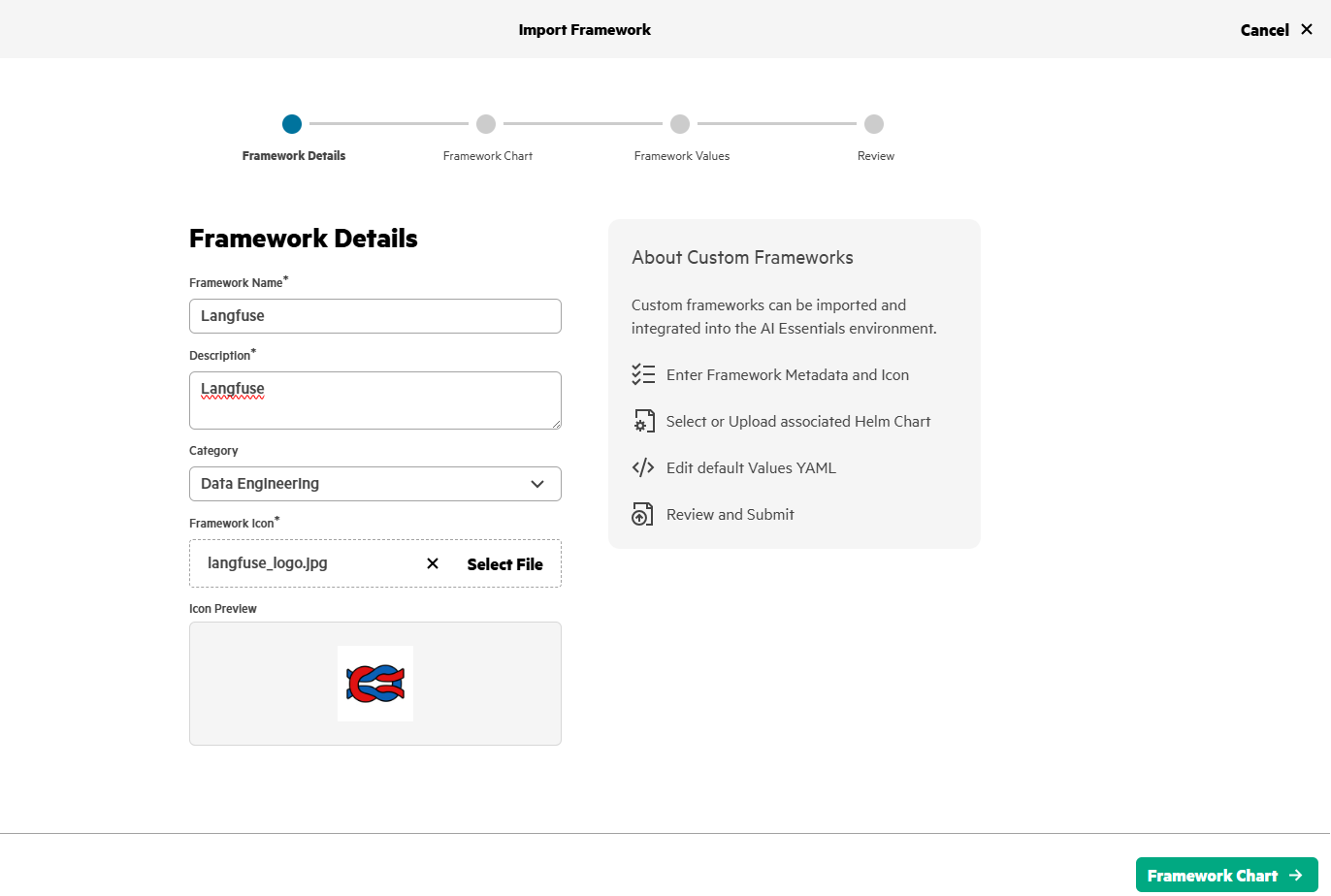
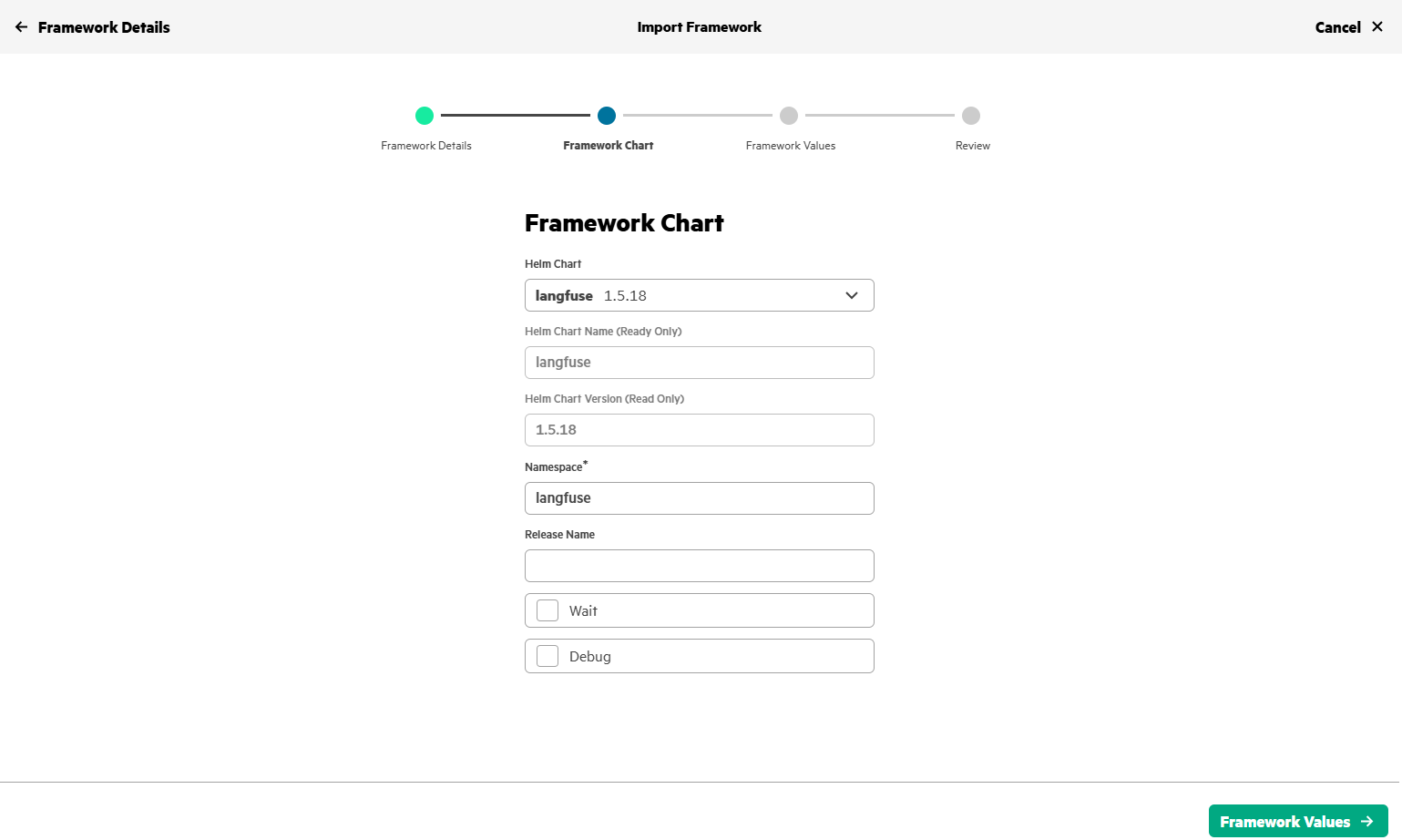
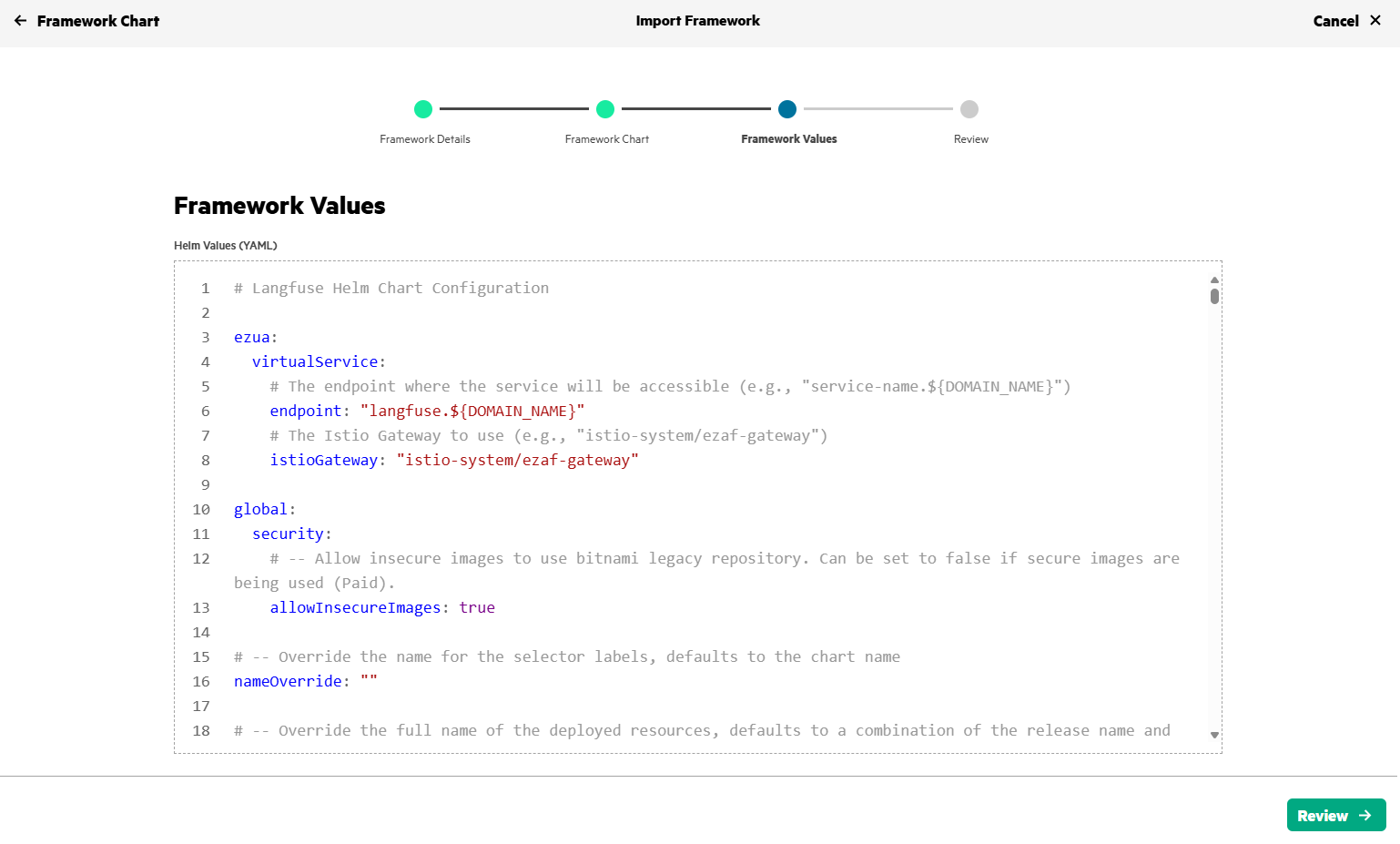
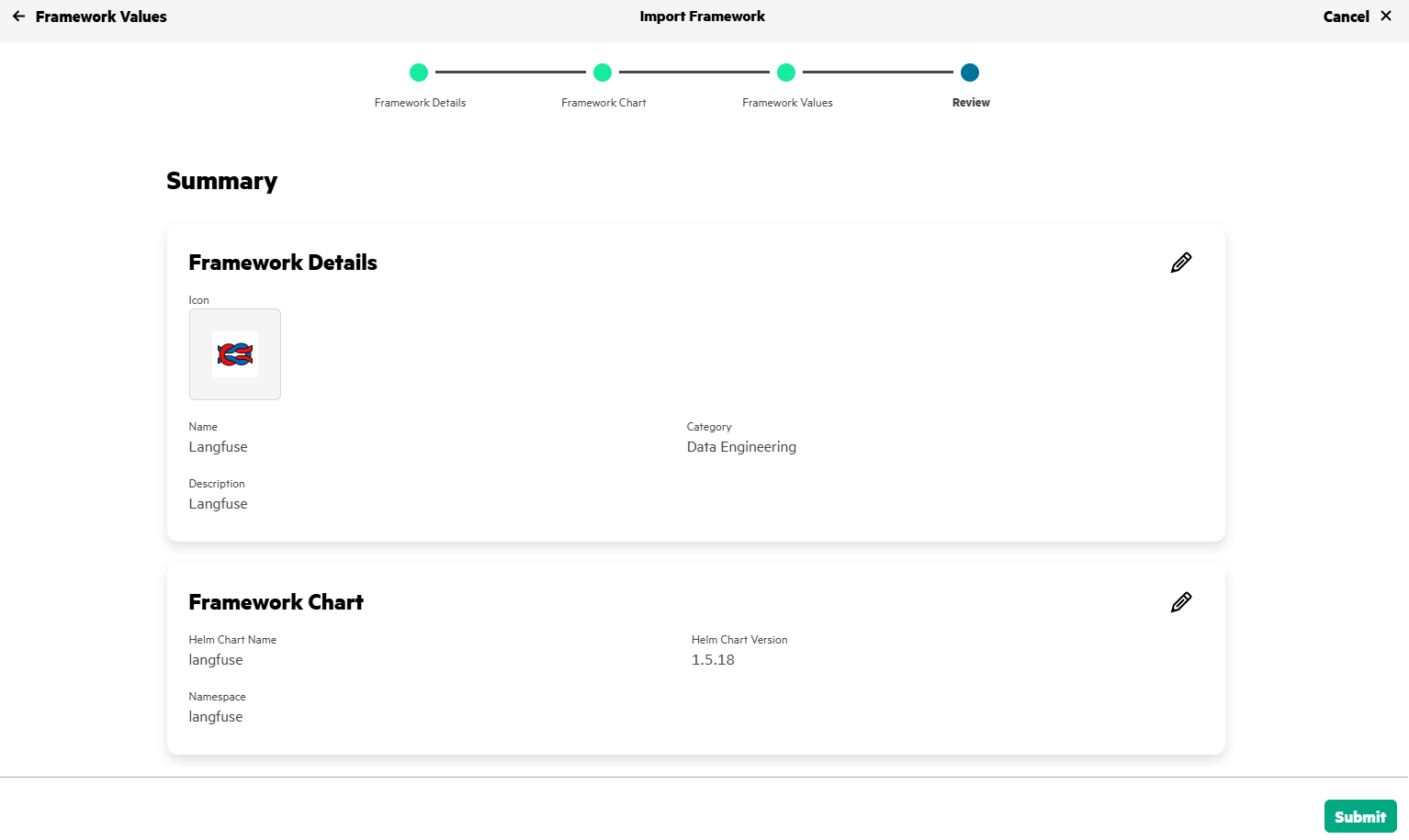
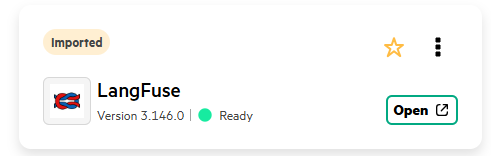
After few minutes, Langfuse gets deployed in HPE Private Cloud AI and will be in Ready state.
3. Configure Langfuse and create API Keys
Access the Langfuse application deployed on HPE Private Cloud AI by creating a new sign-in account. Set up your organization and project in Langfuse and create a new API key for this project. Project Settings->Project API Keys-> create new API keys
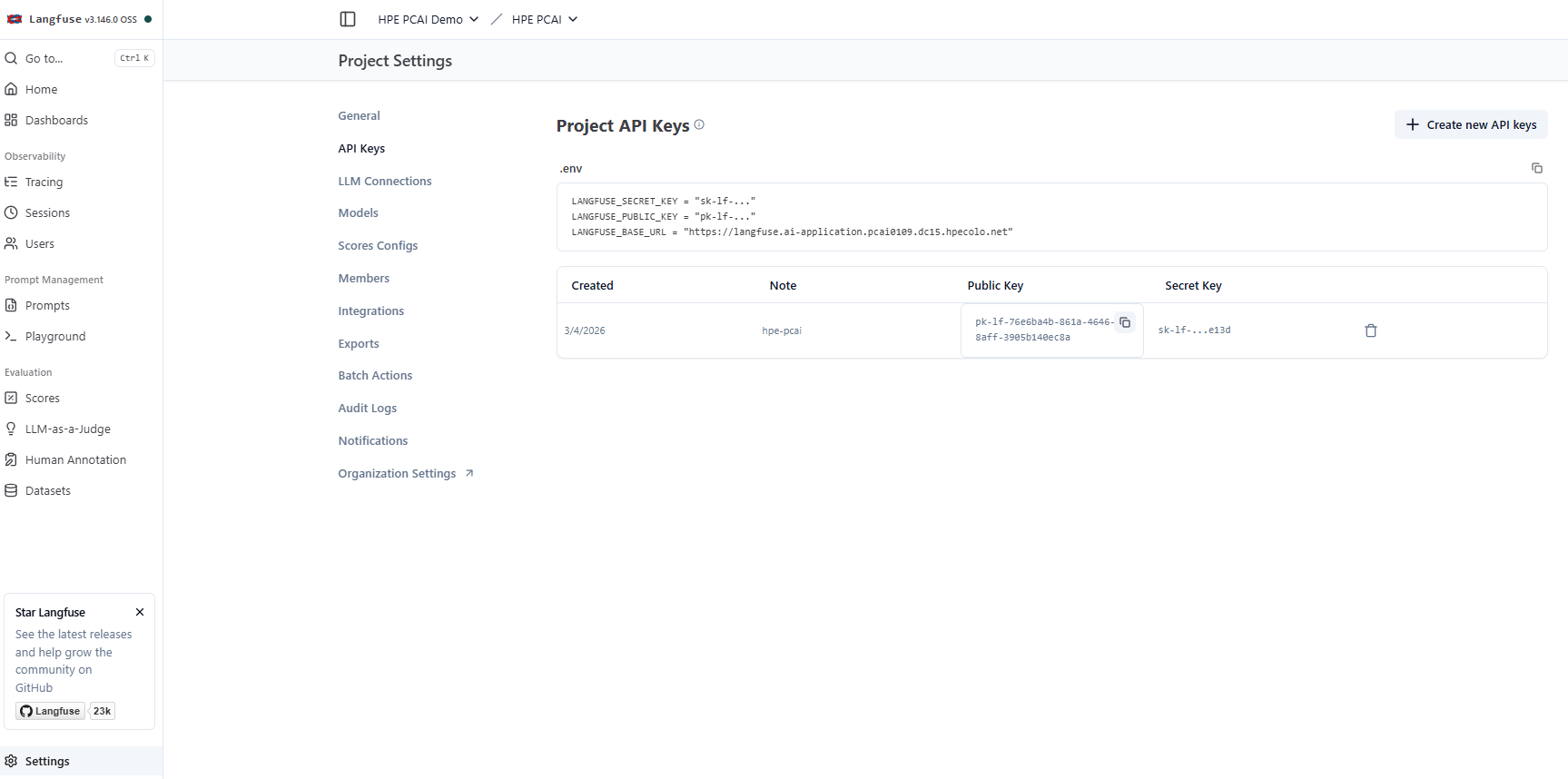
Secure the generated API keys, these will be used while deploying LiteLLM.
4. Prepare the Helm charts for LiteLLM
Obtain the Helm chart for LiteLLM from litellm-helm repository and implement the prerequisites. Here's the reference document for the import framework prerequisites.
These updates are implemented in the revised LiteLLM Helm charts, and are available in the GitHub repository.
5. Deploy and configure LiteLLM
Use the Import Framework in HPE Private Cloud AI to deploy LiteLLM.
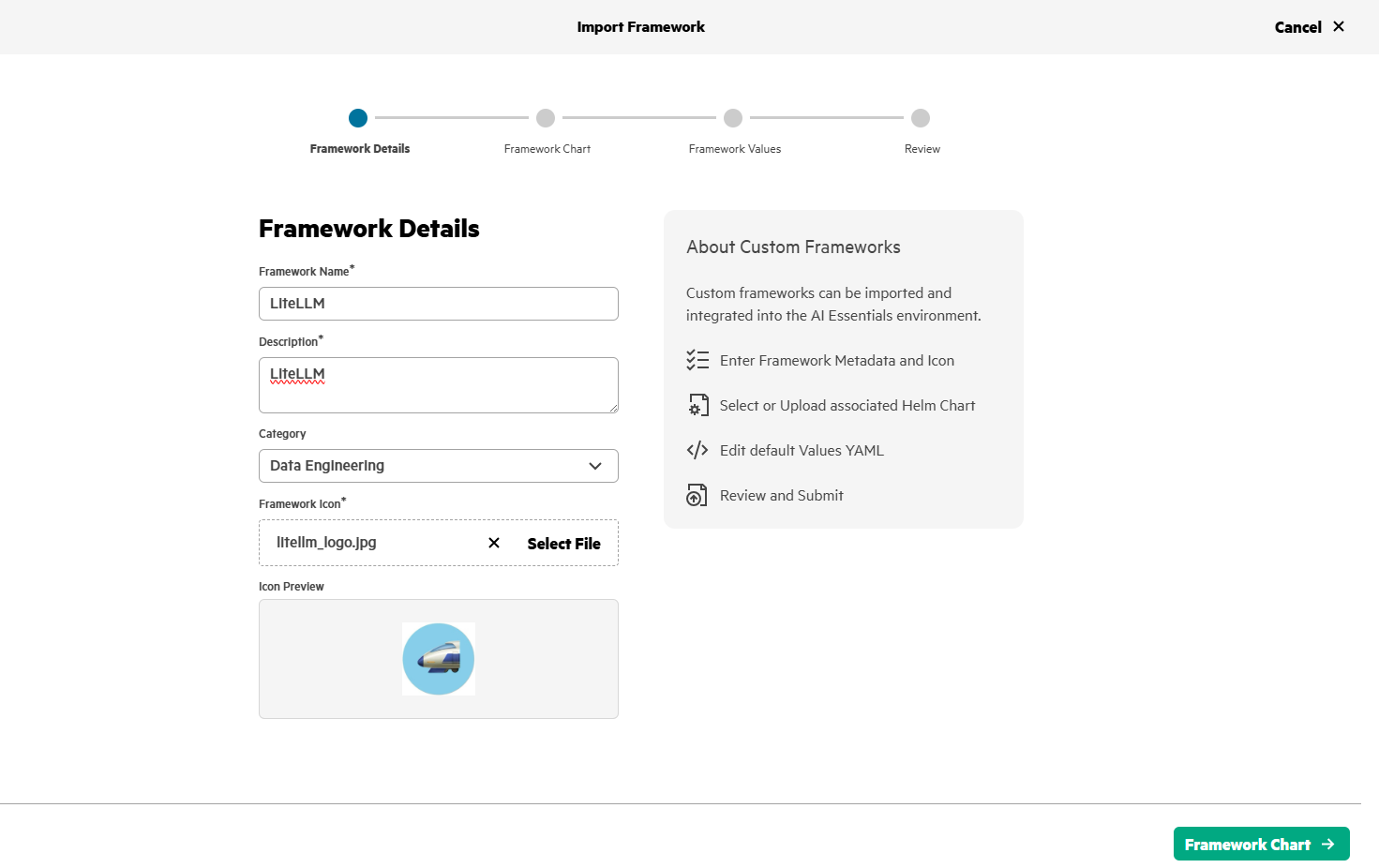
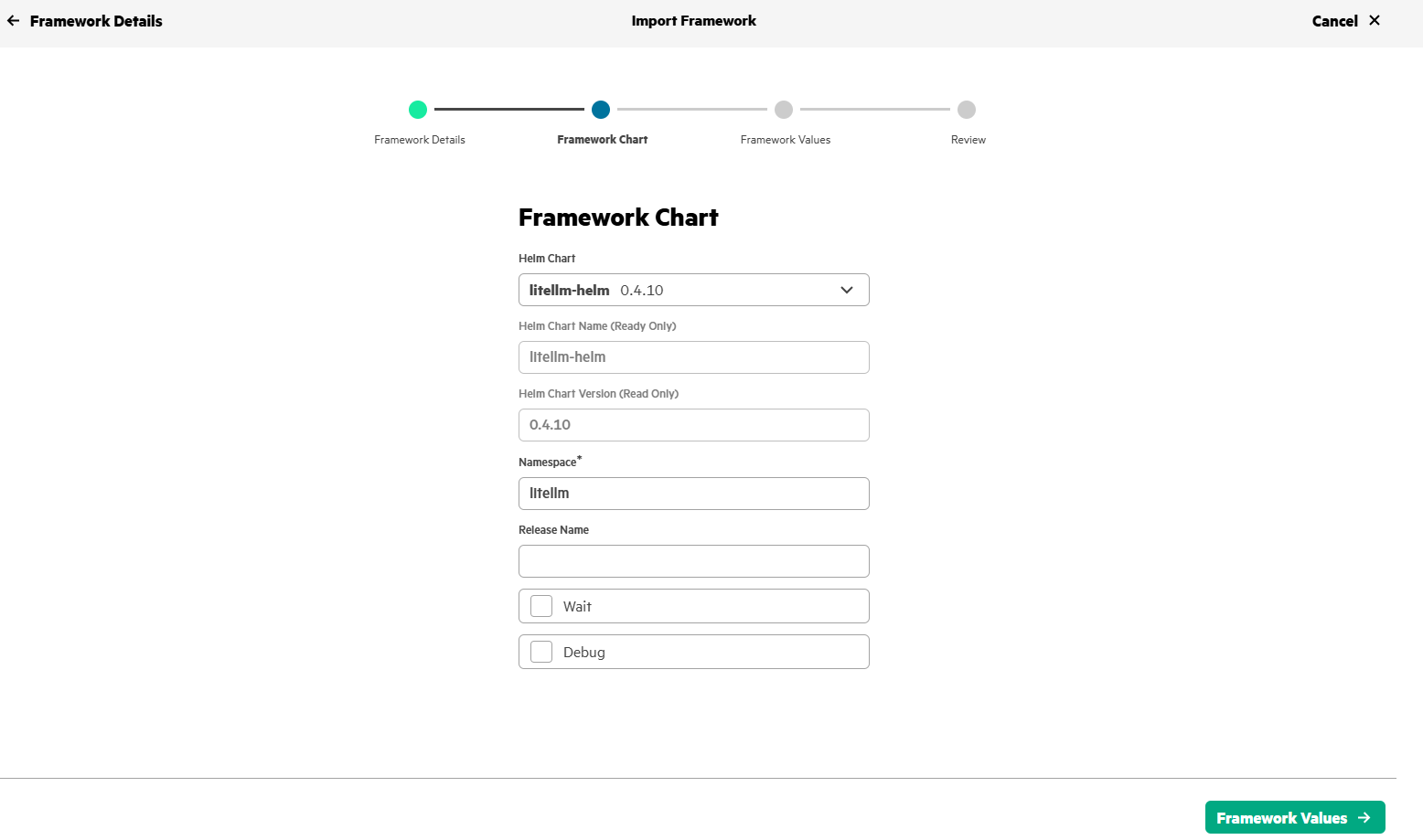
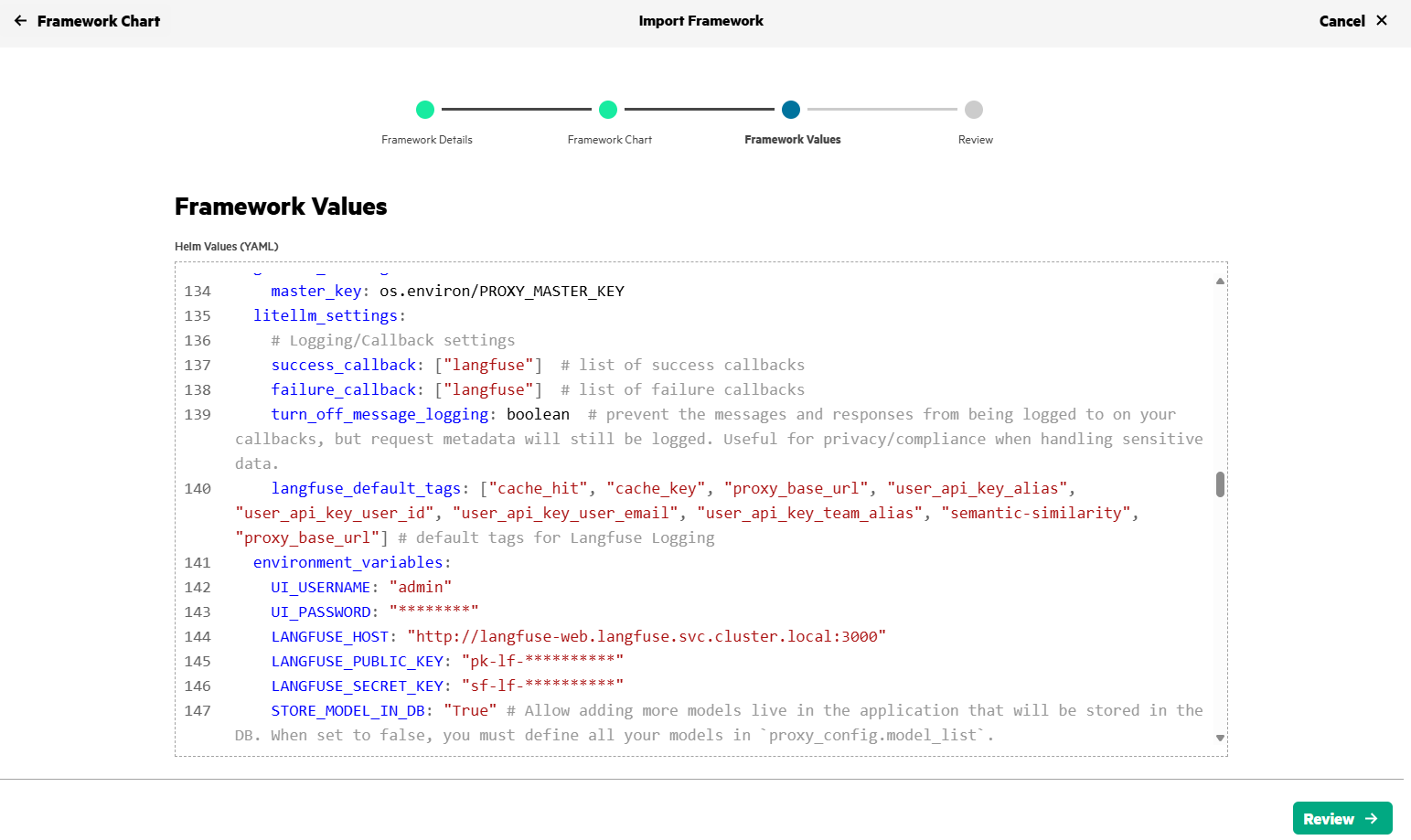
Set the default username/password (UI_USERNAME/UI_PASSWORD) for LiteLLM application and Langfuse details (LANGFUSE_HOST, LANGFUSE_PUBIC_KEY, LANGFUSE_SECRET_KEY - Obtained in Step#3) in values.yaml as shown below.
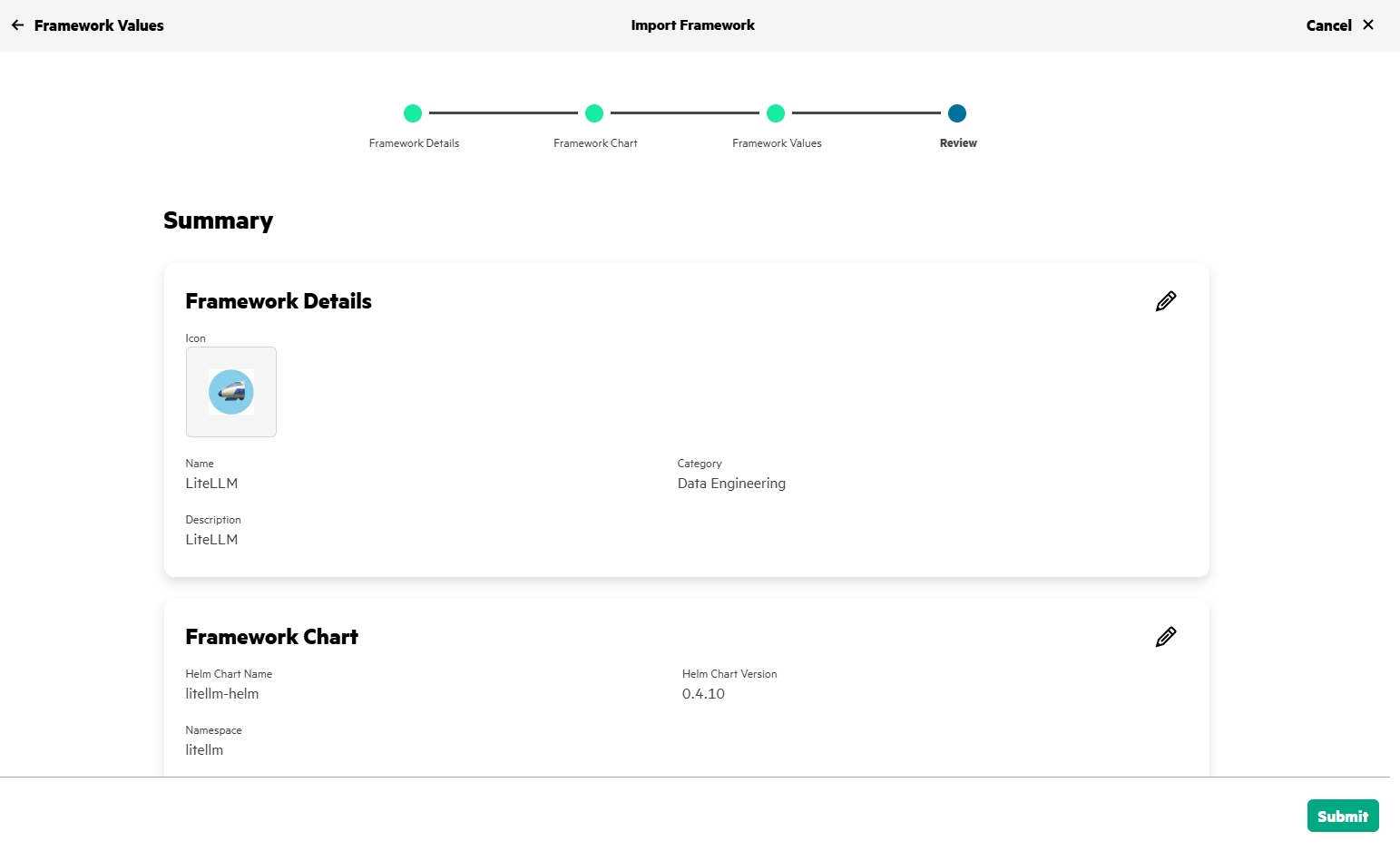
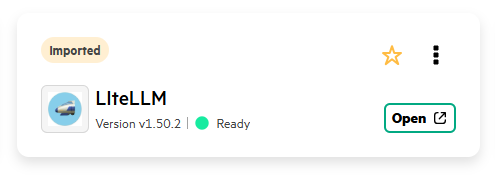
After few minutes, LiteLLM will be deployed in HPE Private Cloud AI and will be in Ready state.
6. Deploy LLM in HPE MLIS
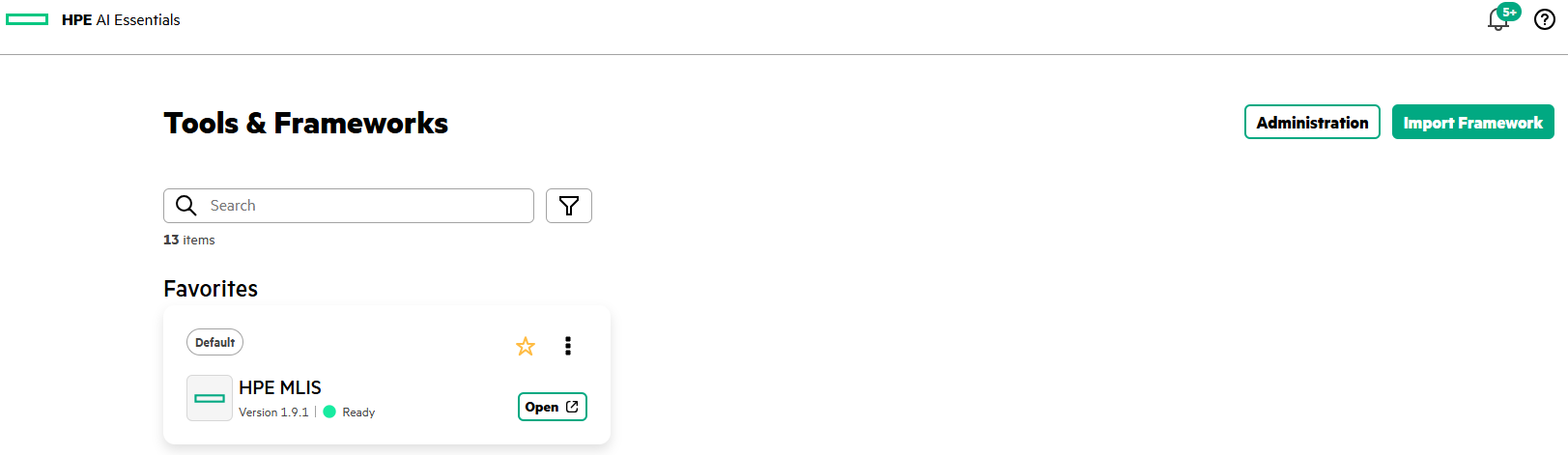
HPE MLIS is accessed by clicking on HPE MLIS tile in Tools & Frameworks tab.
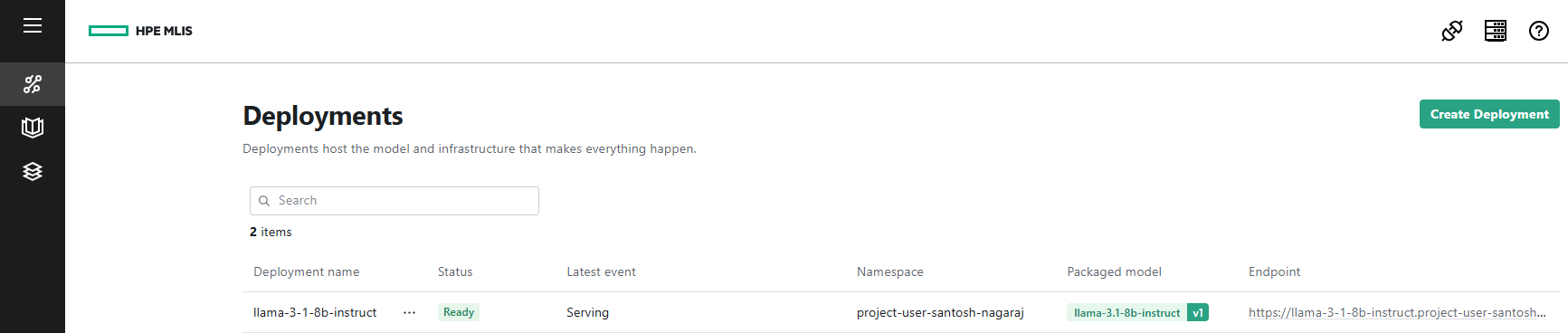
To deploy a pre-packaged LLM (llama-3.1-8b-instruct) in HPE MLIS, you need to create a new deployment as shown below.

Click on Create Deployment, give a name to the new deployment, choose the appropriate packaged model, and set the scaling factor.
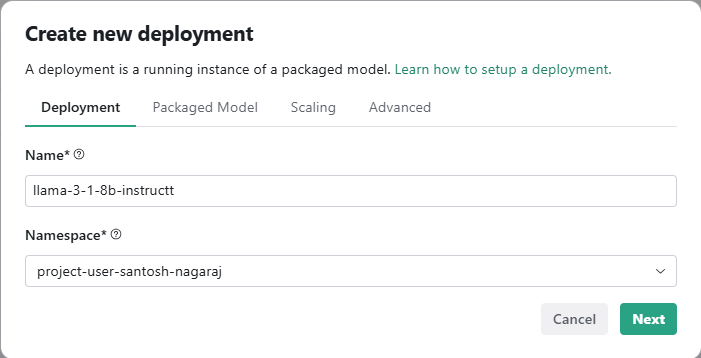
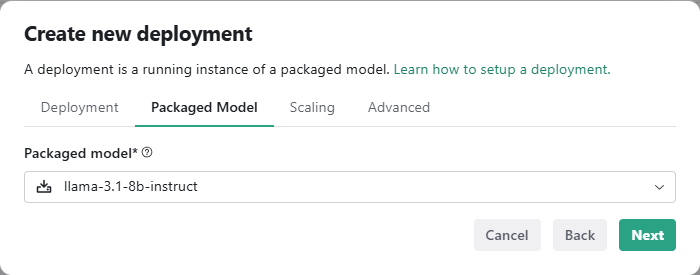
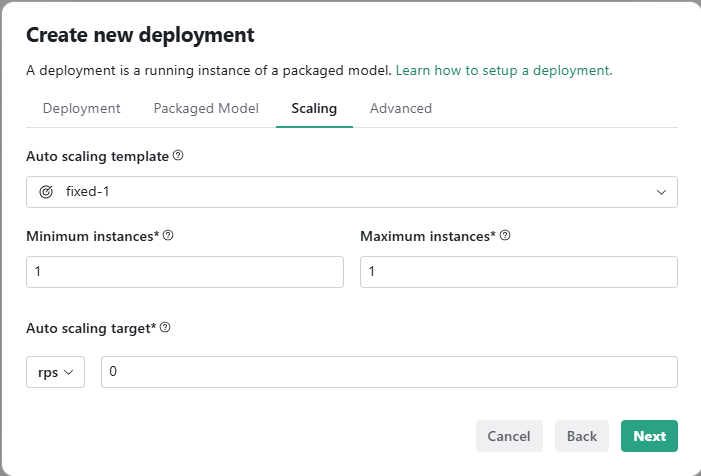
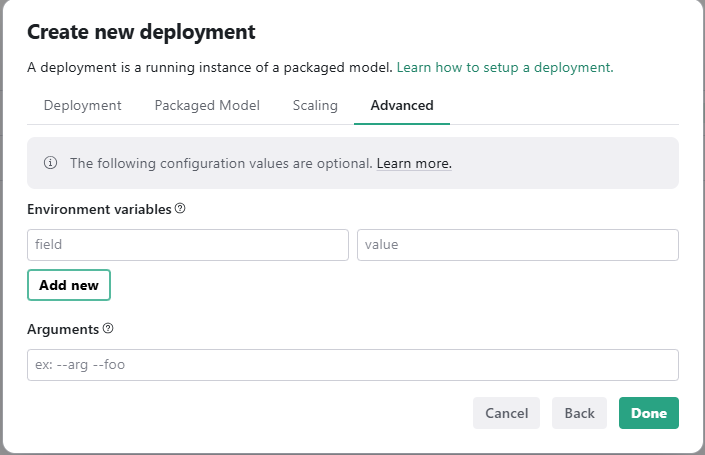
After few minutes, the deployment status will be Ready.
7. LLM endpoint and API keys
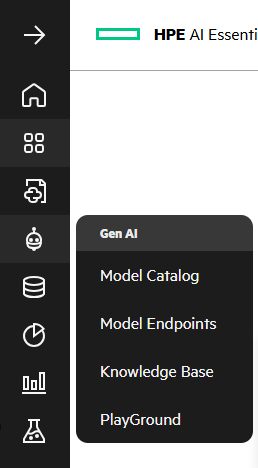
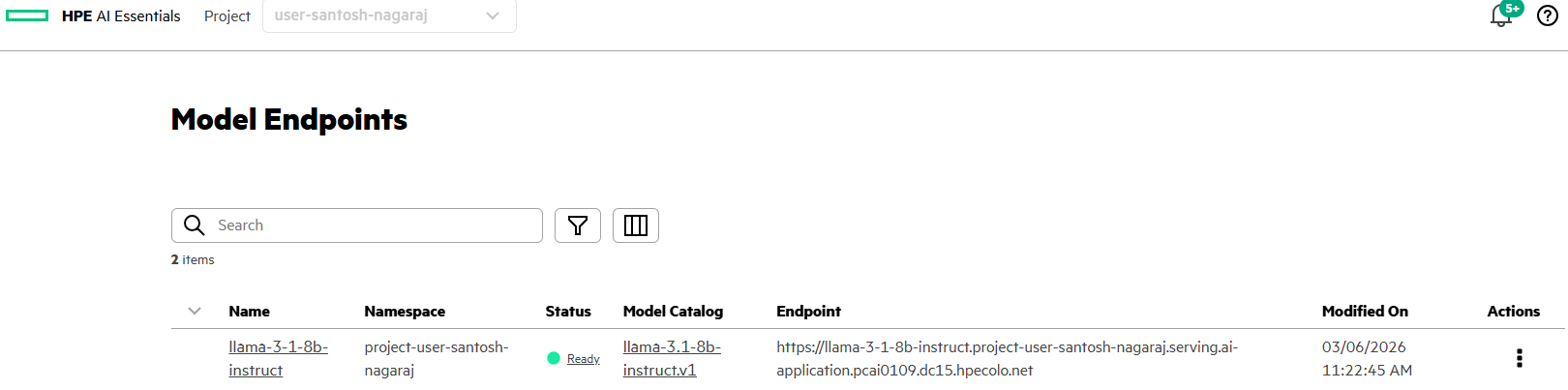
LLM endpoint details can be obtained via GenAI->Model Endpoints.
Generate an API token for the LLM via, Actions -> Generate API Token.
After generating and securing the API token, you will configure LiteLLM with the LLM details.
8. Configure LiteLLM
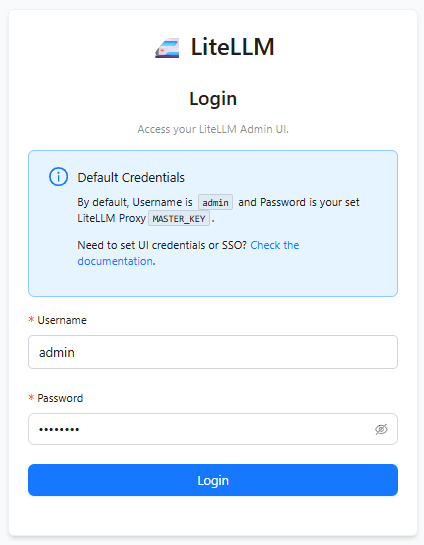
Launch the LiteLLM application deployed on HPE Private Cloud AI and sign-in using the credentials set in values.yaml
Add the LLM information, Models + EndPoints -> Add Model and provide the LLM details like Provider, LLM Model Name, API Base and OpenAI API Key.
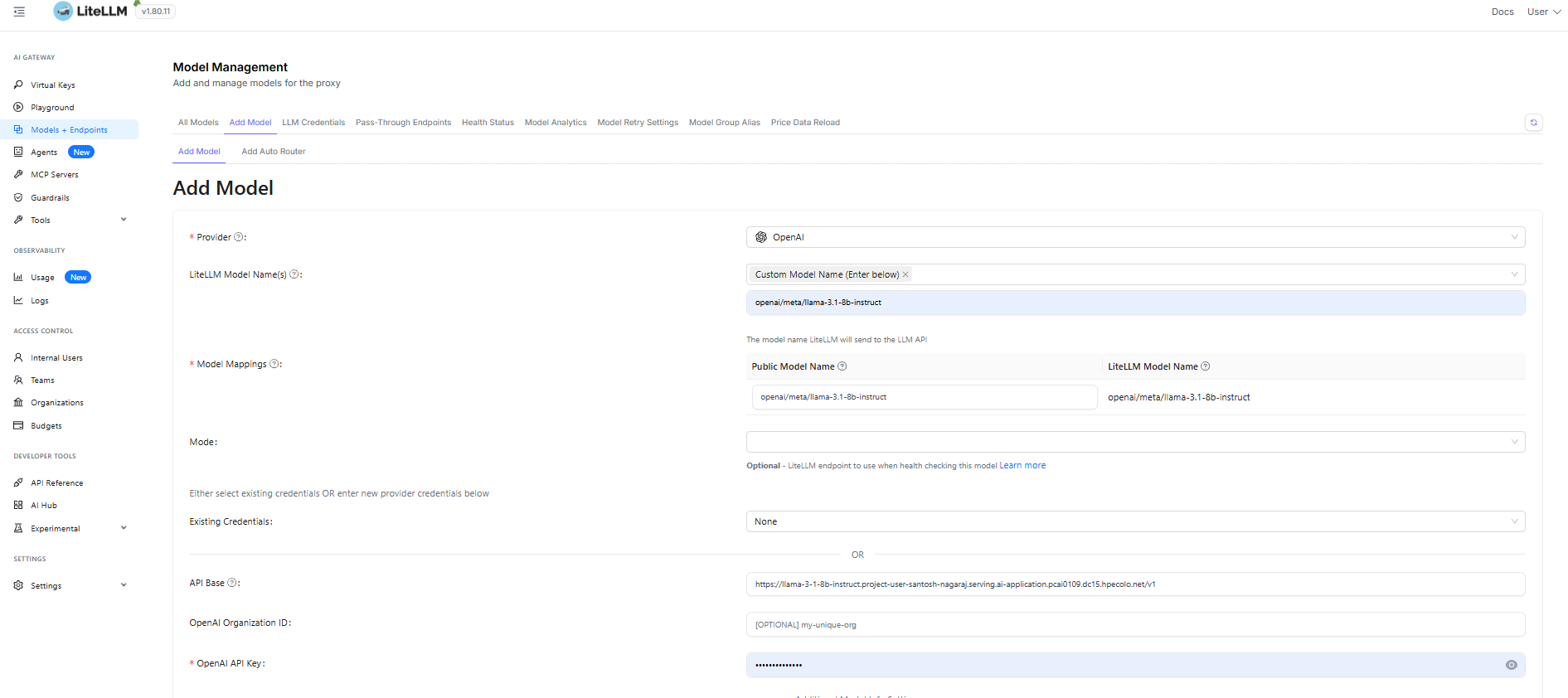
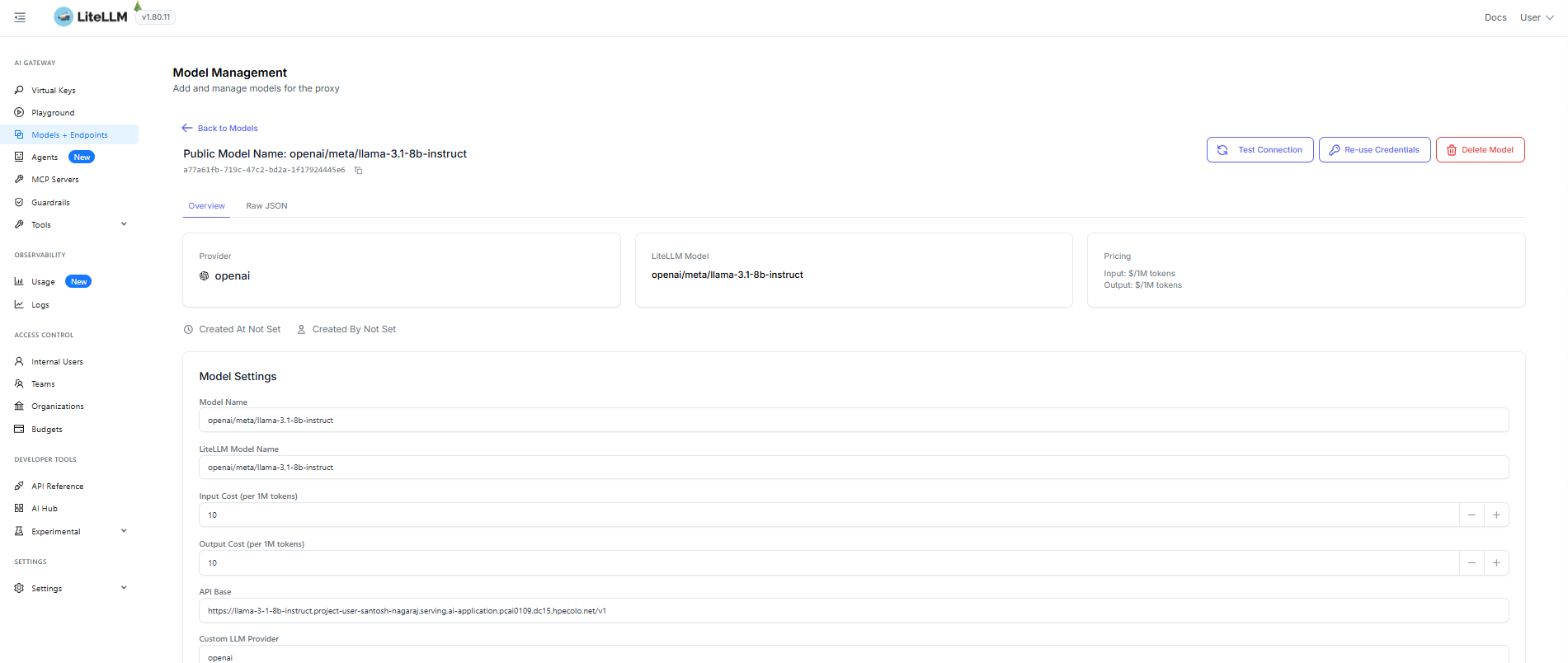
You can associate the cost to this model by updating Input Cost (per 1M tokens) and Output Cost (per 1M tokens) inside Model Settings.
Now, create a new virtual key in LiteLLM to access the model,
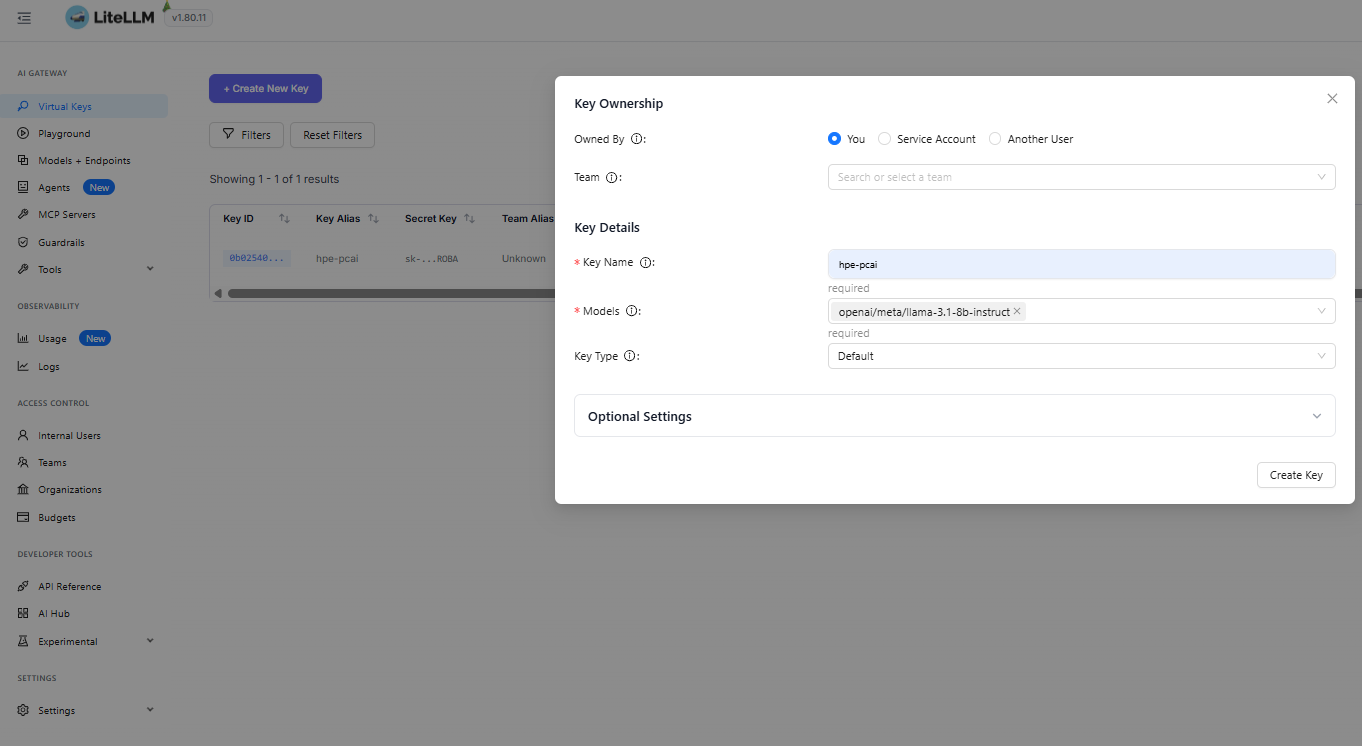
Using the LiteLLM virtual key and the LiteLLM URL, you can access the LLM (meta/llama-3.1) and use it in any AI application.
Note: In this example, security is not handled for LiteLLM endpoint URL and anyone can hit a request to proxy URL. You can protect the UI by putting it behind outh2-proxy.
Sample code snippet to call meta/llama via LiteLLM. (Replace your LiteLLM API key in the code)
import requests
import json
import os

LITELLM_PROXY_API_KEY = "sk-***********"
url = 'https://litellm.ai-application.pcai0109.dc15.hpecolo.net/chat/completions'

headers = {
    'Content-Type': 'application/json',
    'Authorization': f'Bearer {LITELLM_PROXY_API_KEY}'
}

data = {
    "model": "openai/meta/llama-3.1-8b-instruct",
    "messages": [
        {
            "role": "user",
            "content": "Describe Angkor Wat in 300 words"
        }
    ]
}
response = requests.post(url, headers=headers, json=data, verify=False)
print(json.dumps(response.json(), indent=2))
9. LLM observability and cost analysis in Langfuse
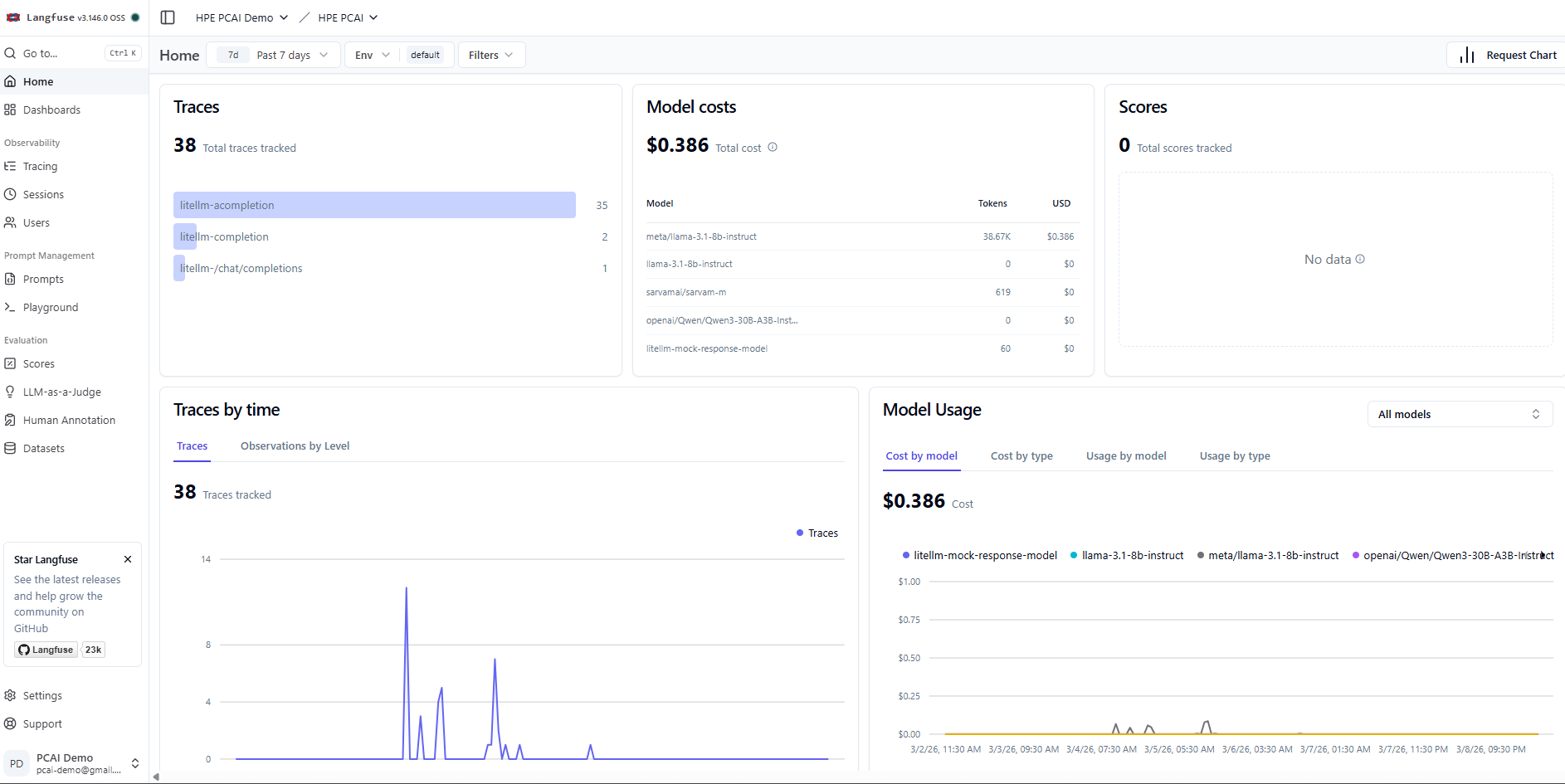
Access the Langfuse application deployed on HPE Private Cloud AI and log in using the credentials. The traces of the LLM calls will appear under Observability -> Tracing.
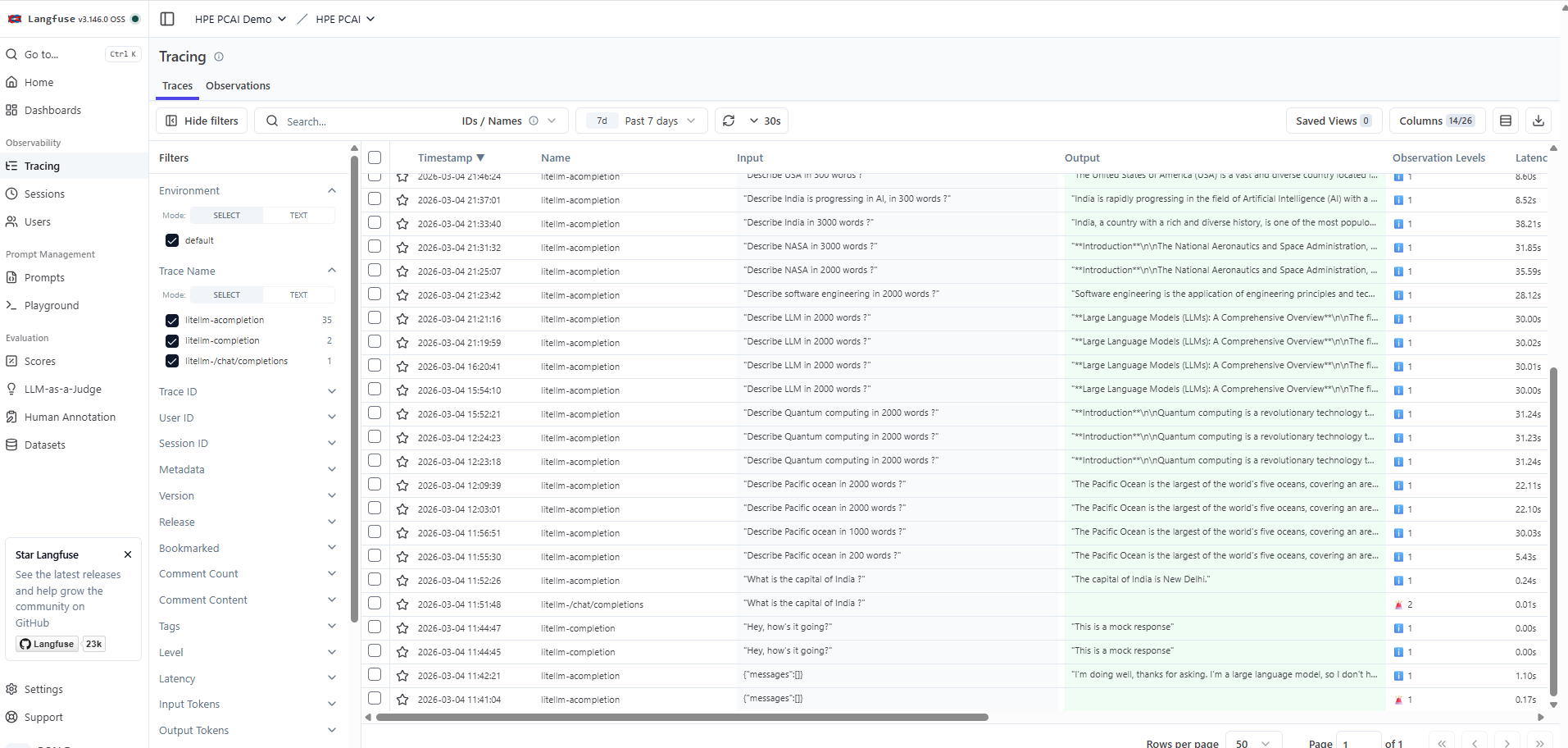
The home page of the project shows various metrics from LLM traces, which provides details on LLM usage, associated costs, etc.
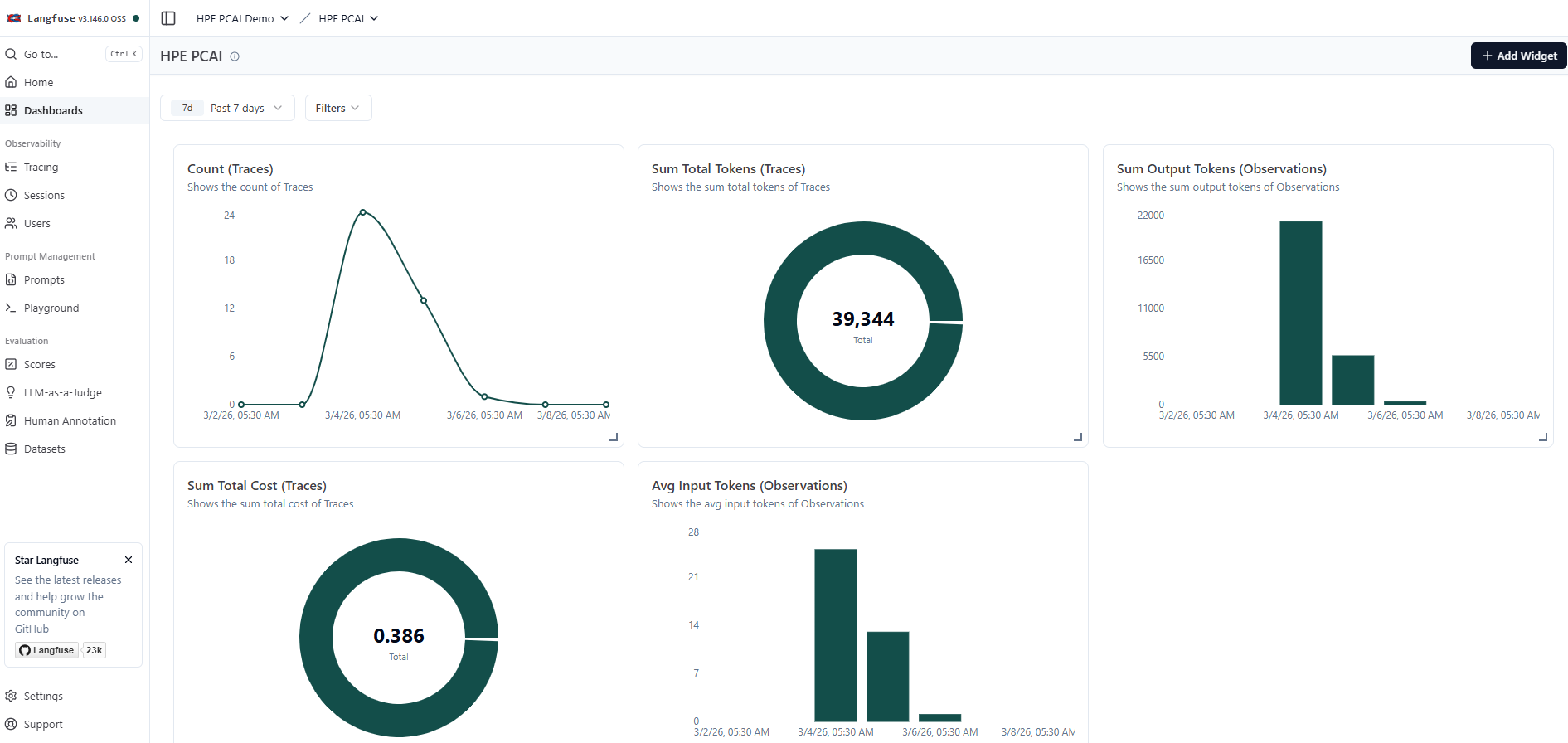
Dashboards with custom widgets can be created in Langfuse to observe various parameters of LLM traces. A sample custom dashboard created in Langfuse is shown below.
Conclusion
By combining capabilities of LiteLLM and Langfuse with HPE AIE's robust model management, HPE Private Cloud AI empowers organizations to observe perform cost management of LLMs in their AI solutions. This integrated approach ensures data privacy, operational control, and scalability for deployments.
Stay tuned to the HPE Developer Community blog for more guides and best practices on leveraging HPE Private Cloud AI for your AI.
Related

Beyond generic AI: achieve contextual accuracy with HPE's Knowledge Bases
Apr 15, 2025
Bring your agent to the next level - Introduce LiteLLM for MCP Cost management and Guardrails
Aug 26, 2026
Build your first AI Chatbot on HPE Private Cloud AI using Flowise and HPE MLIS
Jul 11, 2025
Getting started with Retrieval Augmented Generation (RAG)
Nov 14, 2024
HPE Private Cloud AI: Natural Language to Structured Query Language
May 6, 2026HPE Private Cloud AI: Build your first Agent
Jun 18, 2026
Implementing a local LLM using S3-based model storage and vLLM in HPE Private Cloud AI
Mar 17, 2026