

Implementing a local LLM using S3-based model storage and vLLM in HPE Private Cloud AI
March 17, 2026Deploying a local Large Language Model (LLM) architecture using S3‑compatible object storage and vLLM as the inference engine provides a scalable, cost‑efficient, and secure foundation for enterprise AI adoption. This approach enables organizations to operationalize AI workloads while maintaining full control over data, performance, and model lifecycle management.
This blog post outlines the implementation of a fully local LLM deployment within the HPE Private Cloud AI (PCAI) environment. It deploys MinIO, a high-performance, S3-compatible object storage platform optimized for cloud-native and containerized workloads, as the local model store, providing fast, parallel access to large model artifacts. The architecture then uses vLLM as the optimized inference engine to deliver high-throughput model execution and efficient GPU utilization. Together, these components form a fully self-hosted LLM pipeline within the PCAI environment, enabling organizations to serve models reliably, scale efficiently, and run secure, high‑performance generative AI workloads entirely on‑premises without dependence on external cloud services.
HPE Private Cloud AI
HPE Private Cloud AI (PCAI) is a unified, private, full-stack AI cloud platform built for enterprises that require complete control over how they deploy, govern, and scale AI. It is designed to give organizations ownership of their AI environment while enabling rapid innovation across diverse use cases. PCAI directly addresses the most pressing challenges enterprises face as AI adoption accelerates: maintaining data sovereignty, ensuring security, reducing operational complexity, and avoiding the escalating costs and inefficiencies of fragmented, multi-vendor AI infrastructure.
PCAI provides a comprehensive, turnkey foundation for end-to-end enterprise AI. It delivers a secure, scalable, and ready-to-use private cloud environment that includes a curated set of pre-built NVIDIA NIM-optimized LLMs and an integrated suite of AI/ML tools and frameworks for data engineering, analytics, and data science. This creates a consistent, governed operational layer for building and running AI services, ensuring that organizations retain full sovereignty over their data, models, and infrastructure while benefiting from a modern, production-ready AI platform.
AI managed by you
At the core of PCAI’s 'AI managed by you' philosophy are two complementary approaches that give enterprises both flexibility and operational rigor when deploying and operating AI services:
- Import Framework
- Machine Learning Inference Software (MLIS)
Import Framework
The PCAI Import Framework feature offers an open, extensible mechanism for organizations to integrate any AI application, framework or third-party tool into the PCAI environment. It enables customers to import partner or open-source AI frameworks and add domain-specific or business-specific AI applications. Once imported, these components are managed through PCAI’s unified lifecycle management, ensuring consistent deployment, monitoring, and governance across the entire private cloud platform.
This Import Framework feature is what makes PCAI truly AI-application agnostic. Customers are not limited to prepackaged tools and can freely build the AI ecosystem that fits their strategy.
Machine Learning Inference Software (MLIS)
HPE Machine Learning Inference Software (MLIS) is an enterprise‑grade platform designed to streamline and operationalize large-scale deployment, management, and monitoring of machine learning (ML) models. It supports the full AI service lifecycle, including model registry configuration, LLM model onboarding, deployment creation, and high-throughput inference serving. Delivered as a prepackaged PCAI‑integrated application, similar to components such as Kubeflow and Ray, MLIS provides a controlled execution layer that handles model versioning, GPU scheduling, performance tuning, and comprehensive observability across availability, latency, and compliance metrics.
A core capability of PCAI is its vendor-agnostic support for heterogeneous LLM models. Beyond pre-built NVIDIA NIM models, PCAI can deploy open-source LLMs (e.g., Hugging Face), third-party or proprietary models, and artifacts stored in external or internal object stores such as MinIO. This flexibility enables organizations to consolidate diverse model sources within a unified deployment and governance framework while maintaining enterprise-grade reliability, visibility, and operational consistency.
The following sections detail the implementation of a local LLM deployment within the PCAI environment using the Import Framework feature and MLIS.
Prerequisites
Ensure that the following prerequisites are fulfilled:
- HPE Private Cloud AI version 1.5.0 or later, running HPE AI Essentials version 1.9.1 or later.
- Access to an HPE Private Cloud AI workspace (with the Private Cloud AI Administrator role), allowing to performe administrative operations.
The deployment examples in the following sections use the kubectl CLI and kubeconfig to interact with the PCAI Kubernetes (K8s) cluster. However, direct cluster access via kubectl is generally not required.
Setting up model storage using MinIO
MinIO is a high‑performance, S3‑compatible object storage platform designed for cloud‑native and containerized workloads, offering a lightweight, K8s-friendly architecture that makes it exceptionally easy to deploy and scale. Beyond simple S3 compatibility, MinIO provides enterprise‑grade durability through distributed erasure coding, high aggregate throughput for parallel I/O, and consistent operational behavior across local, on‑premises, and cloud deployments. These characteristics make it particularly effective for AI/ML and LLM pipelines, where fast, reliable access to large, immutable model artifacts is critical for efficient training and inference execution.
The following sections describe how to deploy MinIO within the PCAI environment using the Import Framework and configure it as a local model repository for storing and managing LLM artifacts.
Deploy MinIO via Import Framework
Using a revised MinIO Helm chart, available in the GitHub repository pcai-helm-examples, MinIO can be deployed into the PCAI environment through the Import Framework by following the steps outlined below. This Helm chart is derived from the official MinIO charts and augmented with the required Istio VirtualService and Kyverno ClusterPolicy manifests to ensure compatibility with PCAI’s service mesh and policy controls.
- In the PCAI left navigation panel, select Tools & Frameworks. Click Import Framework.

- By following the Import Framework wizard workflow, MinIO can be deployed into the PCAI environment within minutes.
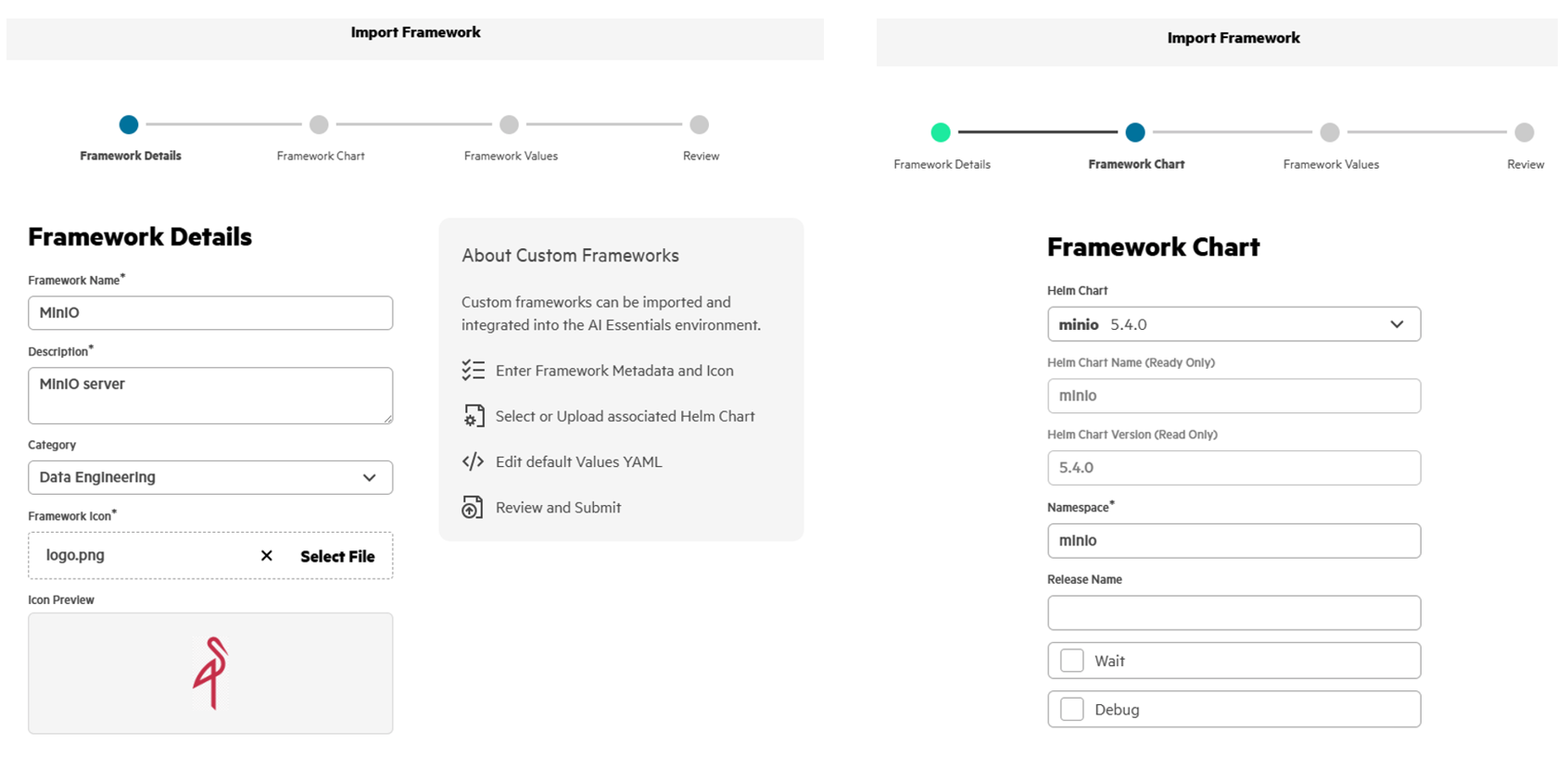
Run the following commands to verify the MinIO deployment in the namespace 'minio' of the PCAI K8s cluster:
$ kubectl get all -n minio
NAME          READY   STATUS    RESTARTS   AGE
pod/minio-0   1/1     Running   0          4h30m
pod/minio-1   1/1     Running   0          4h30m
pod/minio-2   1/1     Running   0          4h30m
pod/minio-3   1/1     Running   0          4h30m

NAME                    TYPE        CLUSTER-IP    EXTERNAL-IP   PORT(S)    AGE
service/minio           ClusterIP   10.96.2.234   <none>        9000/TCP   4h30m
service/minio-console   ClusterIP   10.96.1.181   <none>        9001/TCP   4h30m
service/minio-svc       ClusterIP   None          <none>        9000/TCP   4h30m

NAME                     READY   AGE
statefulset.apps/minio   4/4     4h30m

$ kubectl get pvc -n minio
NAME             STATUS   VOLUME                                     CAPACITY   ACCESS MODES   STORAGECLASS      VOLUMEATTRIBUTESCLASS   AGE
export-minio-0   Bound    pvc-8b5e262b-3667-4da8-a886-8e8596b1cbe0   500Gi      RWO            gl4f-filesystem   <unset>                 4h30m
export-minio-1   Bound    pvc-04770c71-301c-47f1-b92f-d7461c8bfca0   500Gi      RWO            gl4f-filesystem   <unset>                 4h30m
export-minio-2   Bound    pvc-527387c5-0ca8-4991-8d0f-340dfdead8b4   500Gi      RWO            gl4f-filesystem   <unset>                 4h30m
export-minio-3   Bound    pvc-d52bfe41-b7a4-4f06-8275-d2b566198012   500Gi      RWO            gl4f-filesystem   <unset>                 4h30m
Access MinIO console via its endpoint
After MinIO is deployed via the Import Framework, an imported MinIO tile appears under Tools & Frameworks.
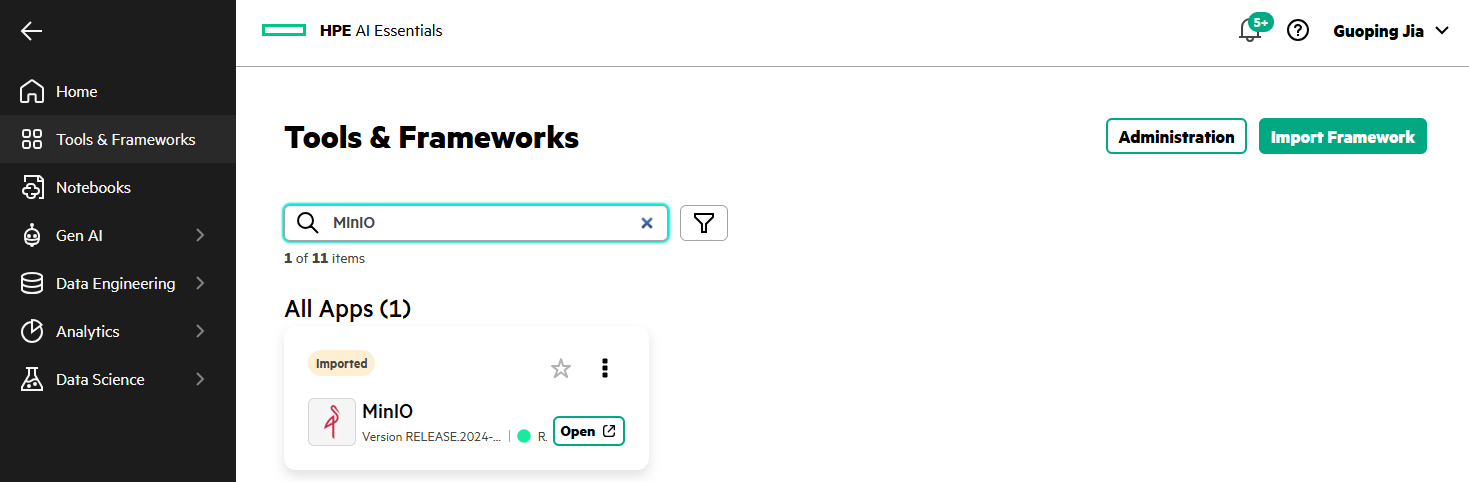
Click Open from the MinIO tile will open the MinIO console login page.
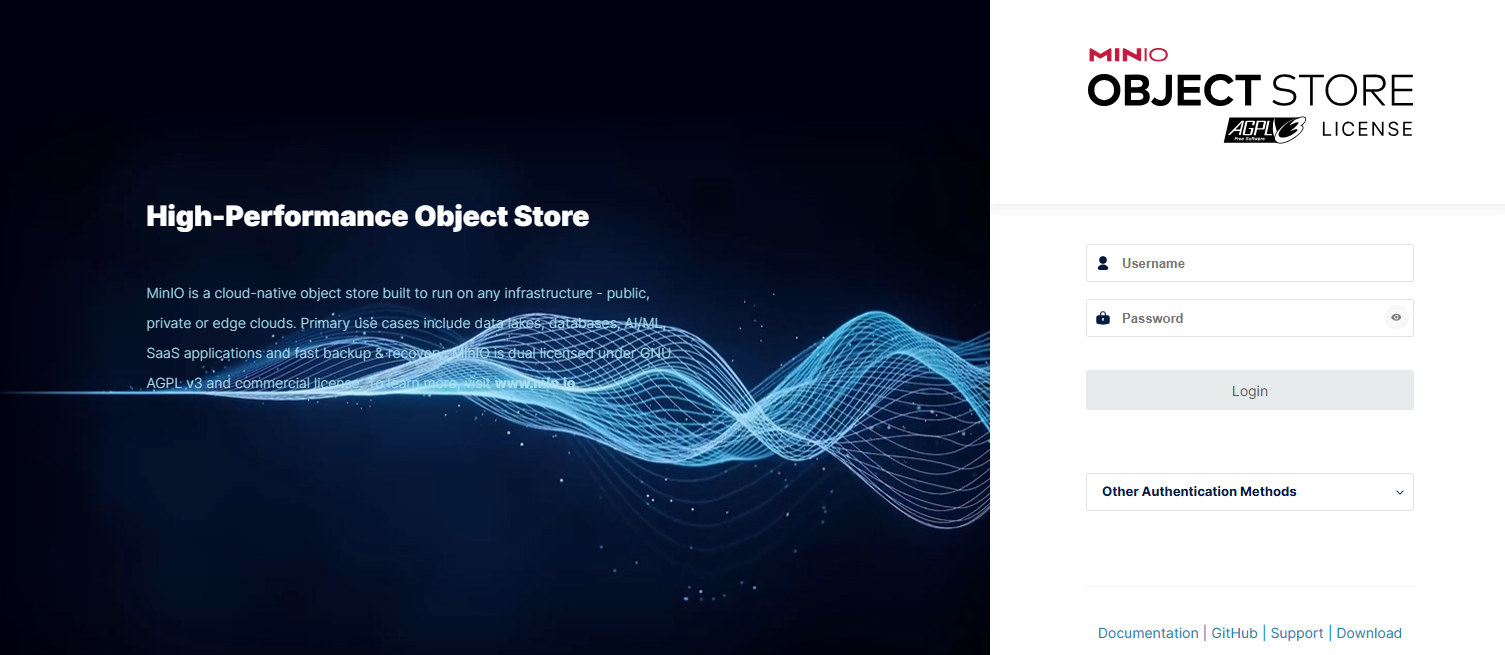
Create a dedicated bucket
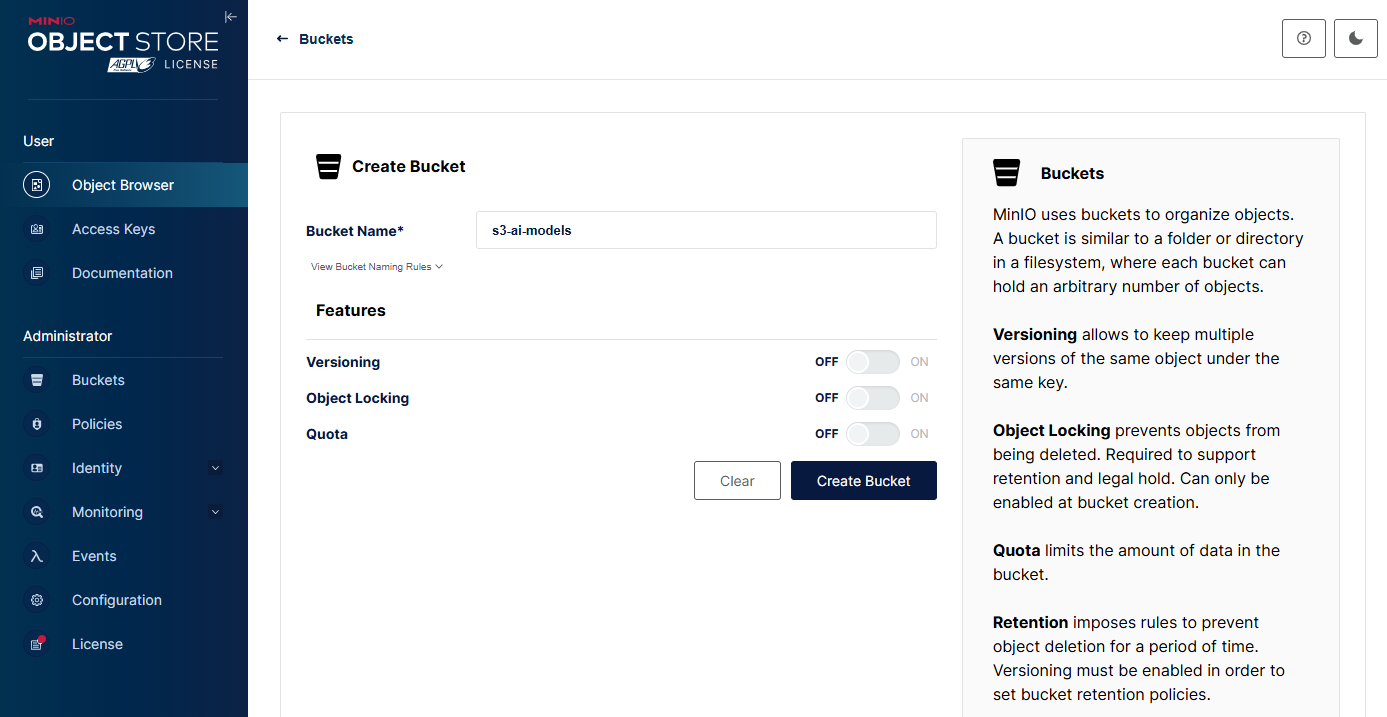
After logging into the MinIO console, click Create a Bucket to create a S3 bucket for LLM models.
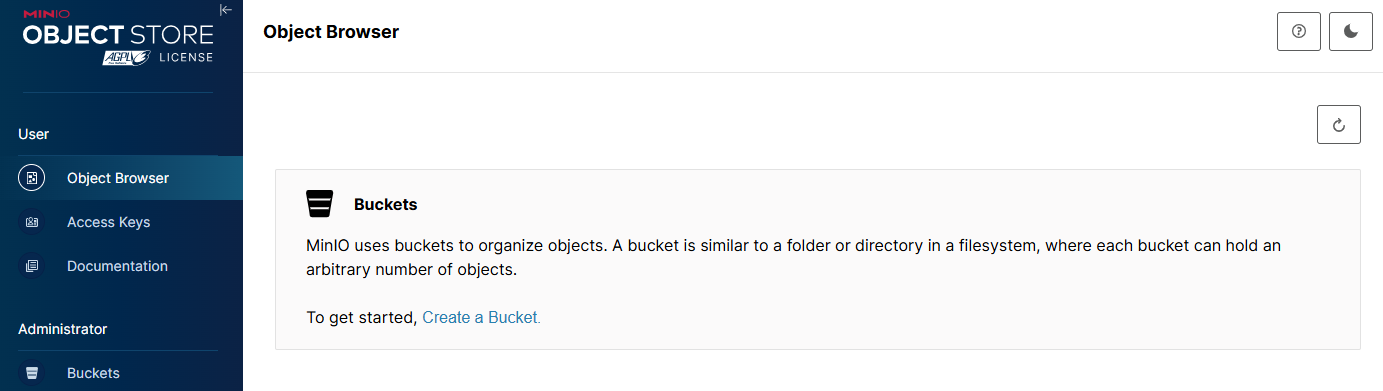
Enter Name, e.g., 's3-ai-models' and select optional features for Versioning, Object Locking, or Quota. Click Create Bucket.
Upload model artifacts to the bucket
As an example LLM model, the Qwen3-0.6B-Base has been retrieved from the Hugging Face and stored locally in the directory 'Qwen3-0.6B-Base'.
$ git clone https://huggingface.co/Qwen/Qwen3-0.6B-Base
Cloning into 'Qwen3-0.6B-Base'...
remote: Enumerating objects: 46, done.
remote: Counting objects: 100% (3/3), done.
remote: Compressing objects: 100% (3/3), done.
remote: Total 46 (delta 0), reused 0 (delta 0), pack-reused 43 (from 1)
Unpacking objects: 100% (46/46), done.
Checking out files: 100% (10/10), done.

$ ls -al  Qwen3-0.6B-Base/
total 1175909
drwxr-xr-x 1 GUJ 1049089          0 Mar  4 18:54 .
drwxr-xr-x 1 GUJ 1049089          0 Mar  4 18:52 ..
drwxr-xr-x 1 GUJ 1049089          0 Mar  4 18:54 .git
-rw-r--r-- 1 GUJ 1049089       1554 Mar  4 18:52 .gitattributes
-rw-r--r-- 1 GUJ 1049089        757 Mar  4 18:52 config.json
-rw-r--r-- 1 GUJ 1049089        144 Mar  4 18:52 generation_config.json
-rw-r--r-- 1 GUJ 1049089      11544 Mar  4 18:52 LICENSE
-rw-r--r-- 1 GUJ 1049089    1823241 Mar  4 18:52 merges.txt
-rw-r--r-- 1 GUJ 1049089 1192135096 Mar  4 18:54 model.safetensors
-rw-r--r-- 1 GUJ 1049089       3030 Mar  4 18:52 README.md
-rw-r--r-- 1 GUJ 1049089    7334926 Mar  4 18:53 tokenizer.json
-rw-r--r-- 1 GUJ 1049089       9916 Mar  4 18:53 tokenizer_config.json
-rw-r--r-- 1 GUJ 1049089    2776833 Mar  4 18:53 vocab.json
In the MinIO console, select the created bucket 's3-ai-models'.
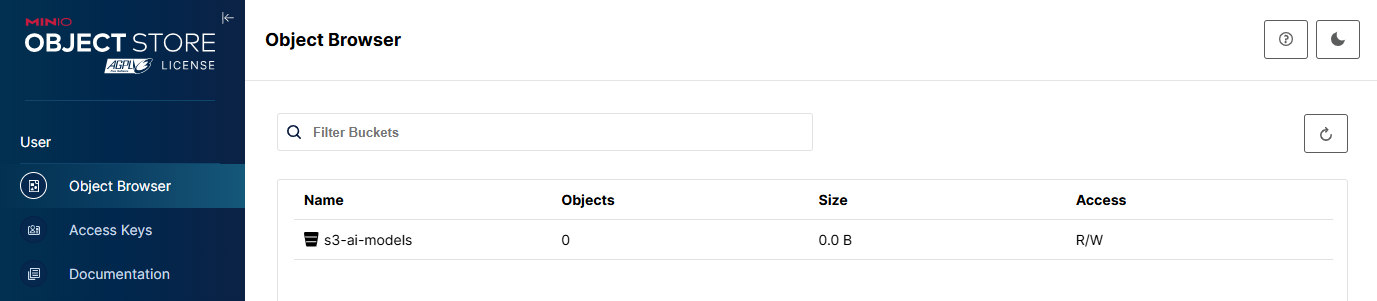
Click Upload, choose Upload Folder, and select the 'Qwen3-0.6B-Base' directory to upload the model from local storage.
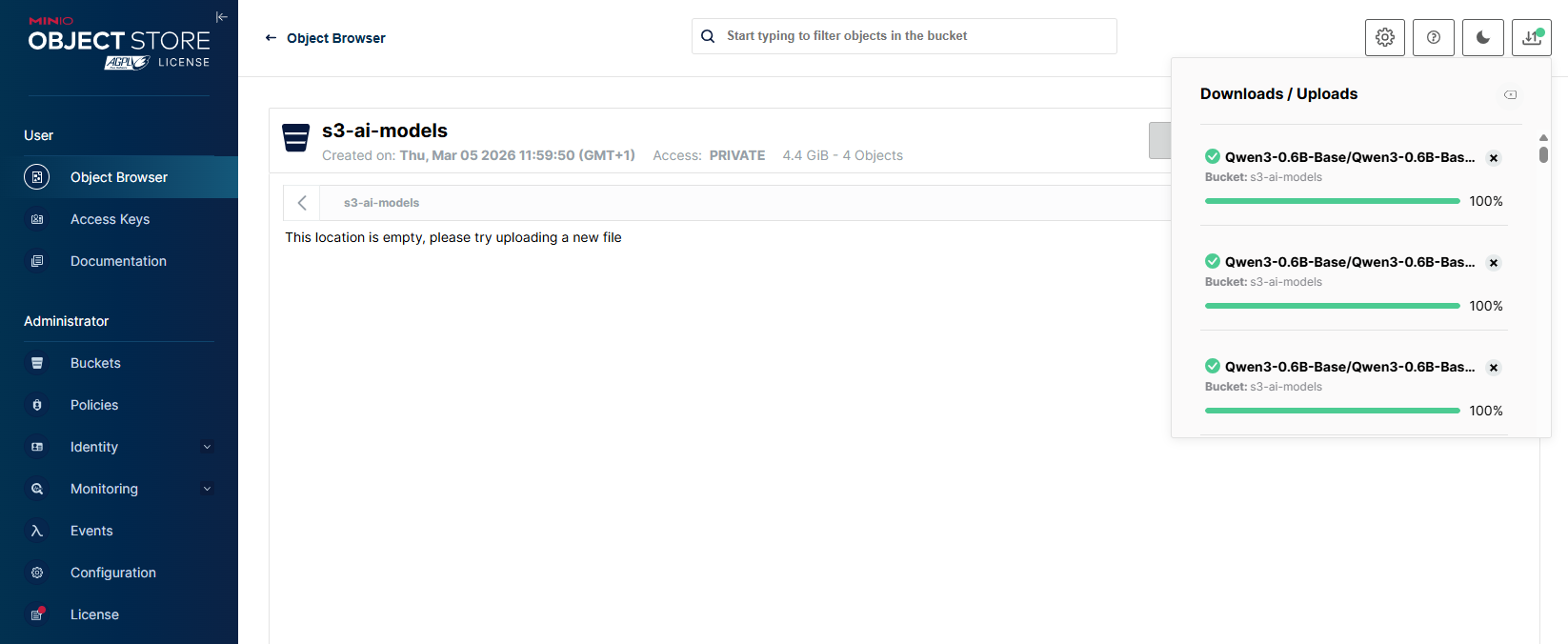
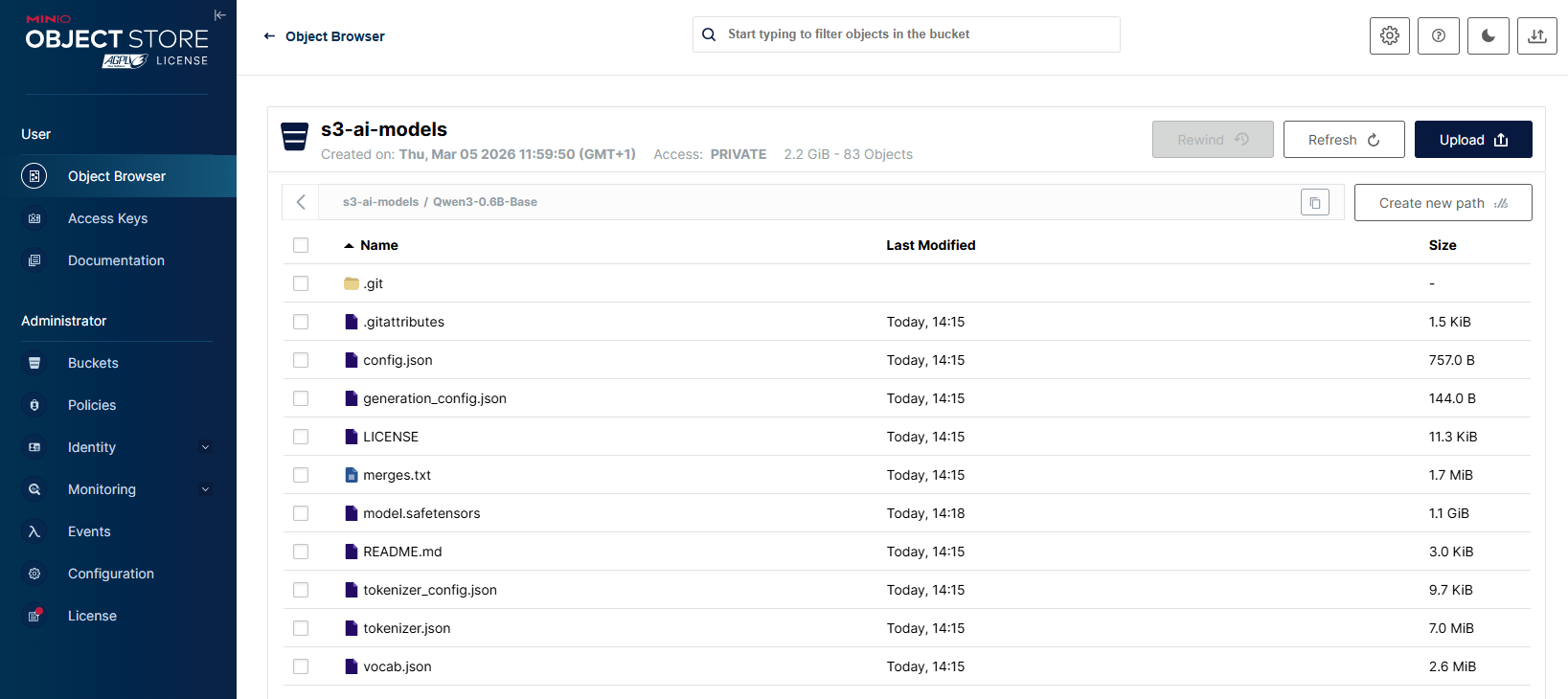
After few minutes, the bucket 's3-ai-models' displays the uploaded LLM model weights along with the associated configuration and tokenizer files from the local directory.
Configure access credentials
In the MinIO console, navigate to Access Keys, click Create access key +. Specify the Expiry, Name, Description and Comments fields. Click Create.
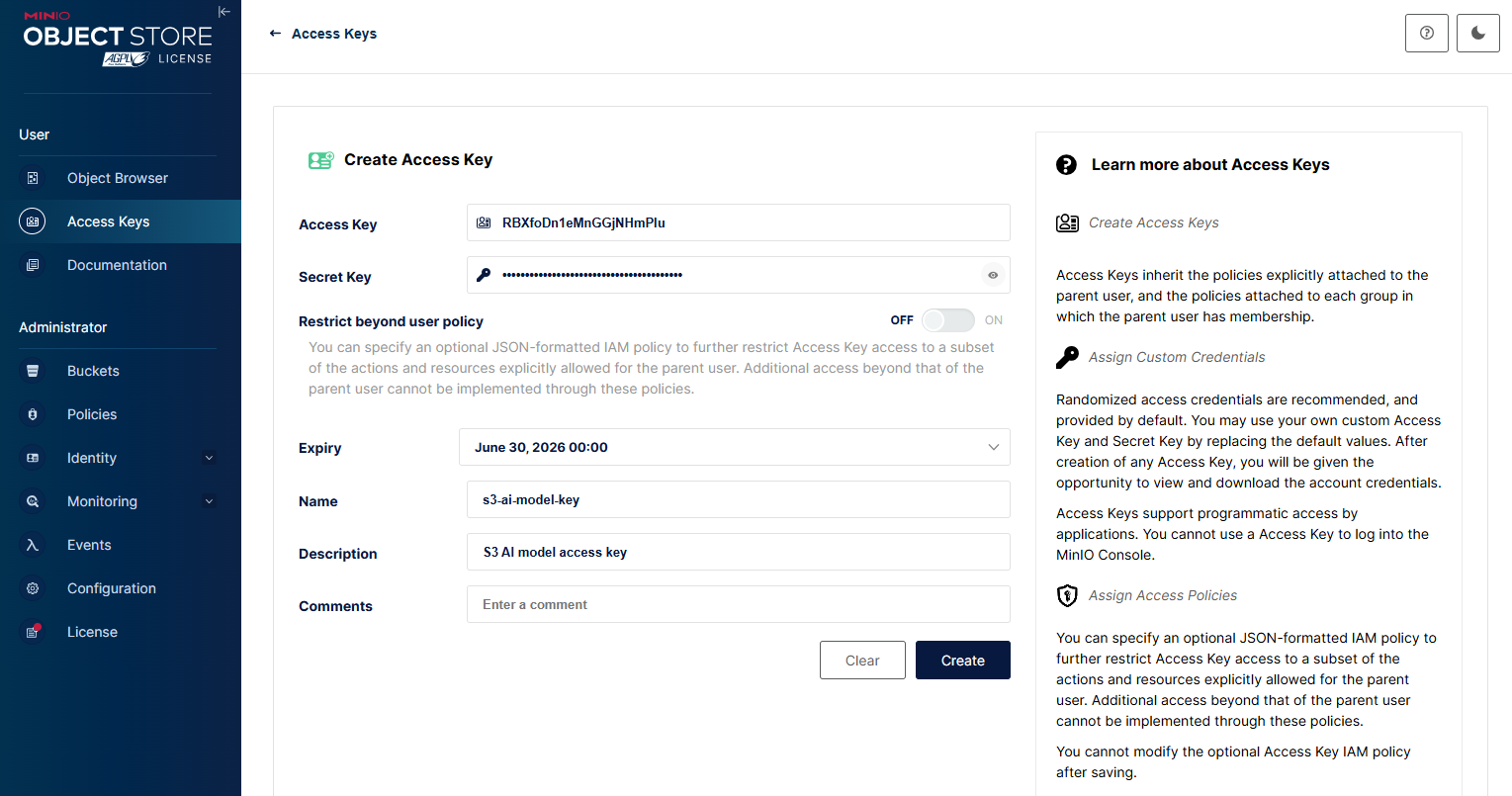
Store the newly generated Access Key and Secret Key in a secure location.
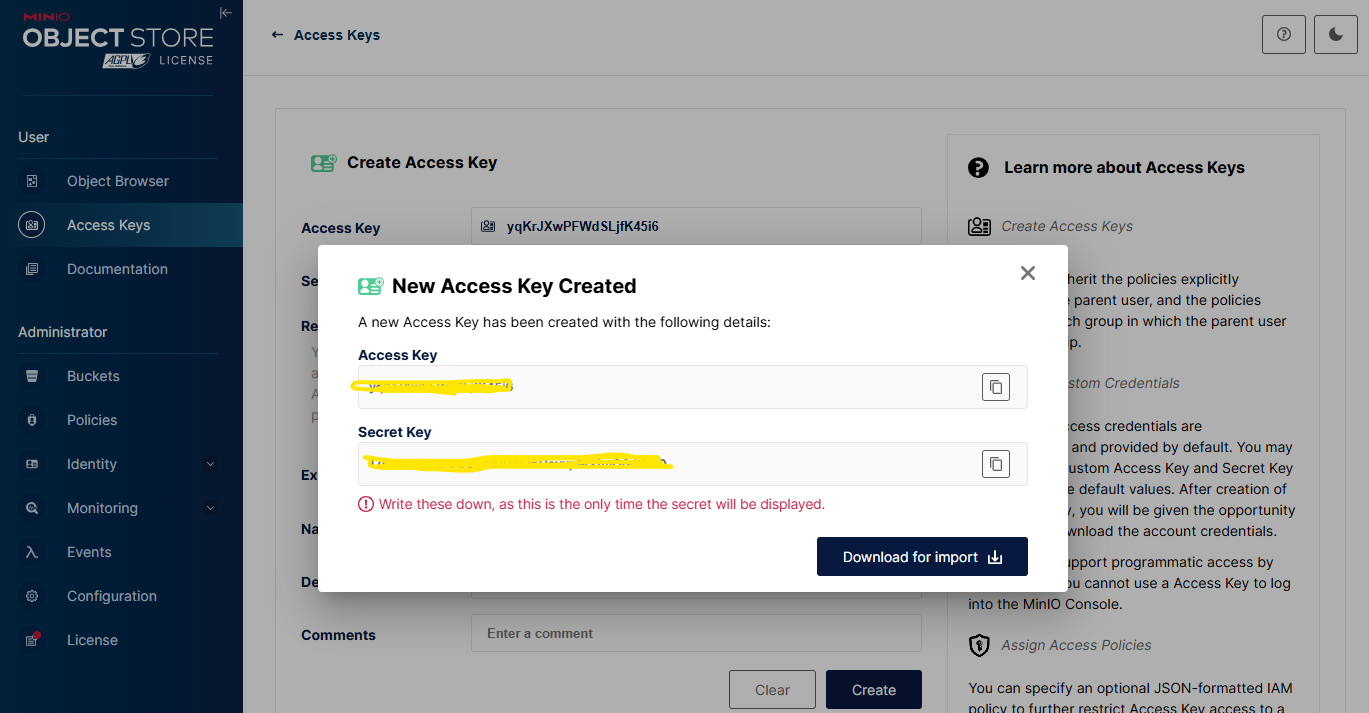
These Access Key and Secret Key values will be required in the subsequent configuration steps to enable secure model retrieval.
Connect S3 data source
The following steps describe how to register MinIO as a S3 data source in PCAI. Instead of accessing MinIO directly through its internal service endpoint, PCAI connects to a configured S3-compatible MinIO endpoint using the provided access and secret keys to retrieve model artifacts. This S3 data source serves as the object-storage backend for model ingestion and runtime access, and can also be accessed by external clients such as Spark or Kubeflow notebooks to ensure consistent, interoperable data access across the platform.
- In the PCAI left navigation panel, go to Data Engineering and select Data Sources.
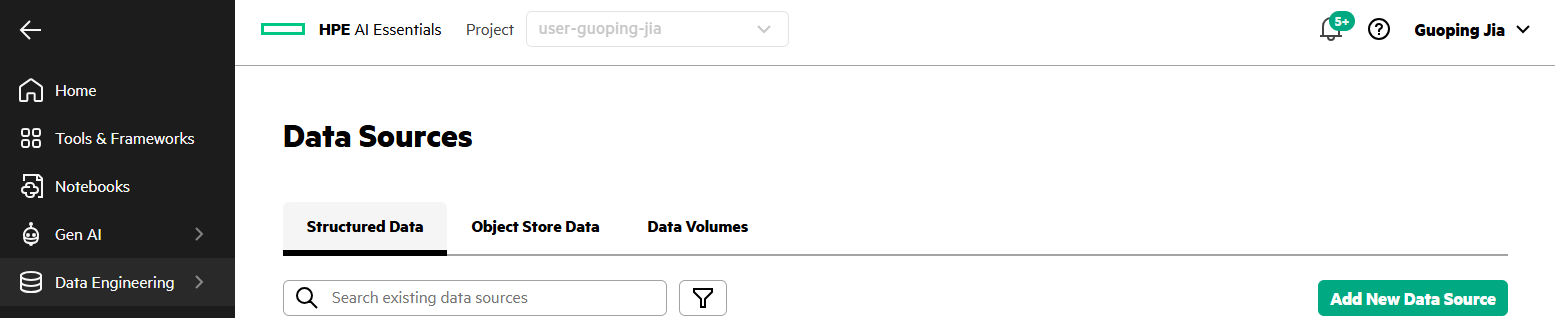
- Select Object Store Data tab. Click Add New Object Store.
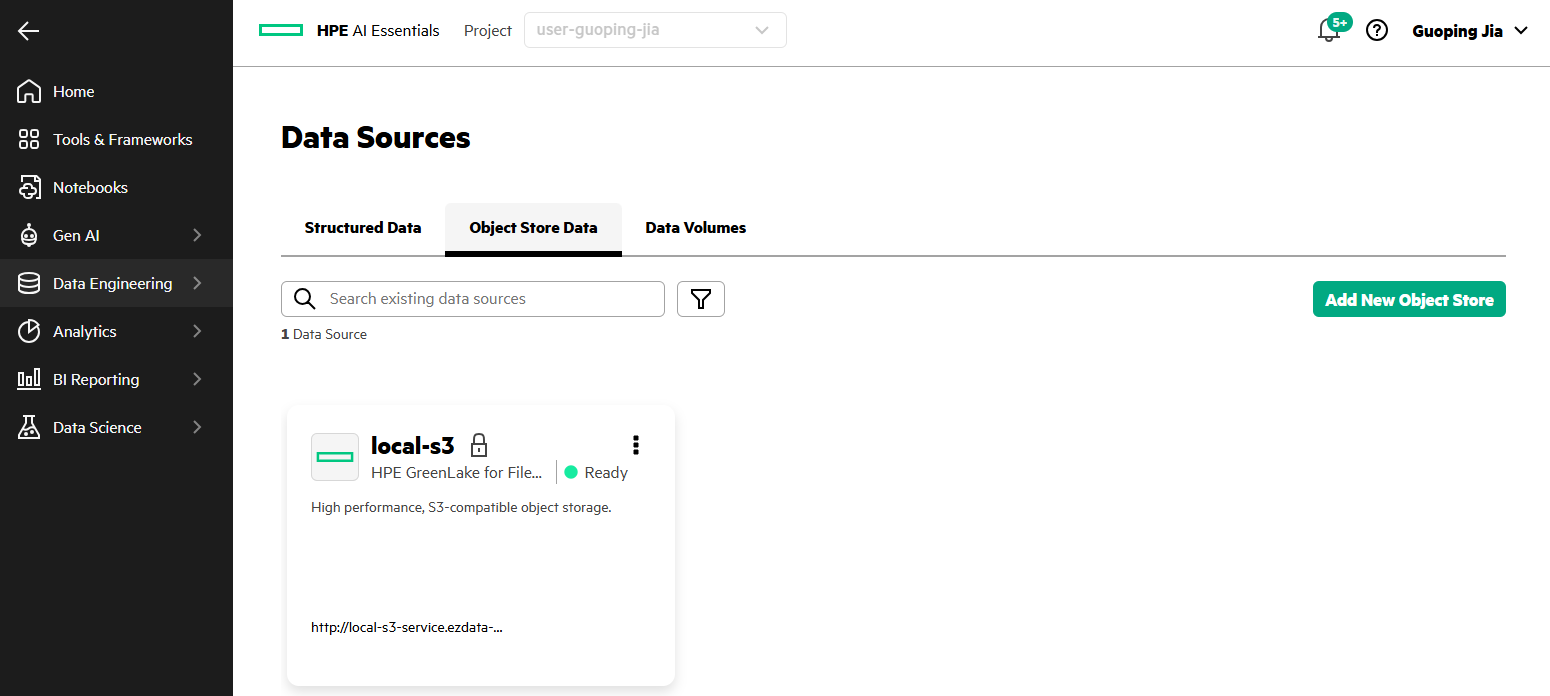
- Locate the MinIO S3 tile. Click Add MinIO S3.
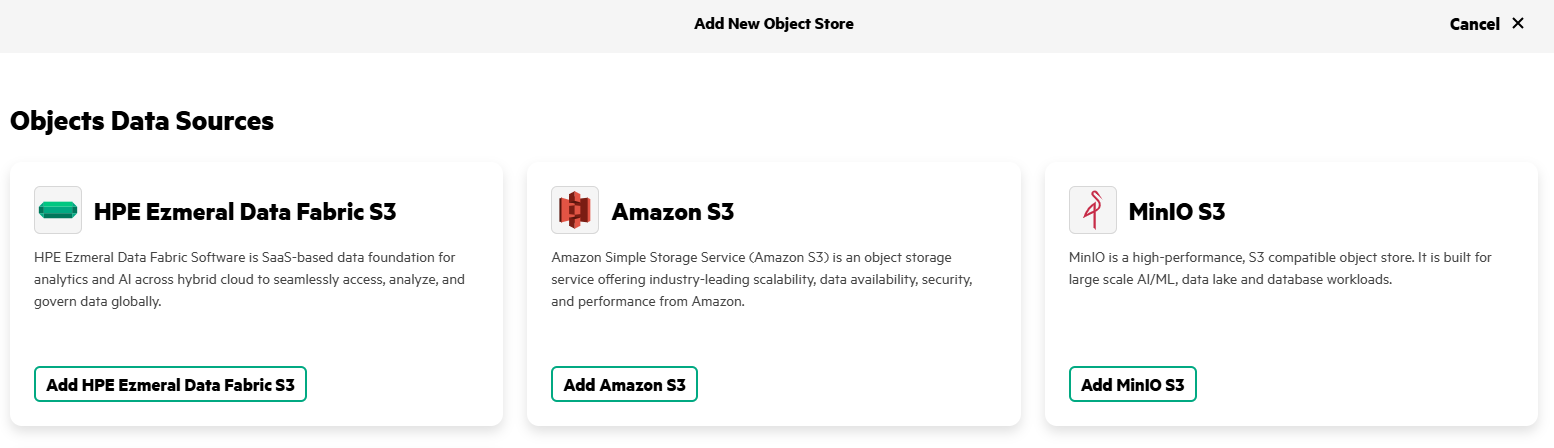
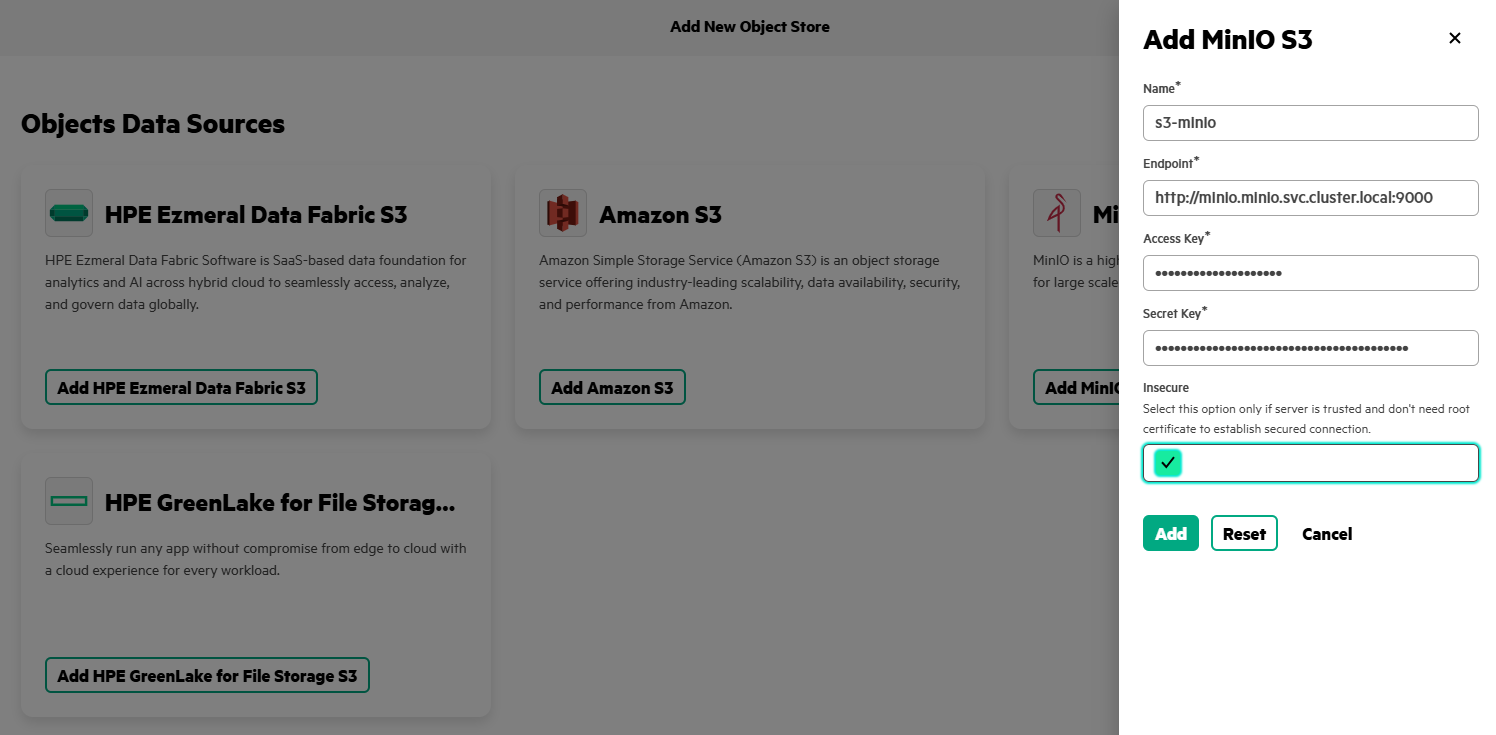
- Enter Name as 's3-minio', specify Endpoint (for example, 'http://minio.minio.svc.cluster.local:90000'), provide the Access Key and Secret Key created earlier, and select Insecure option. Click Add.
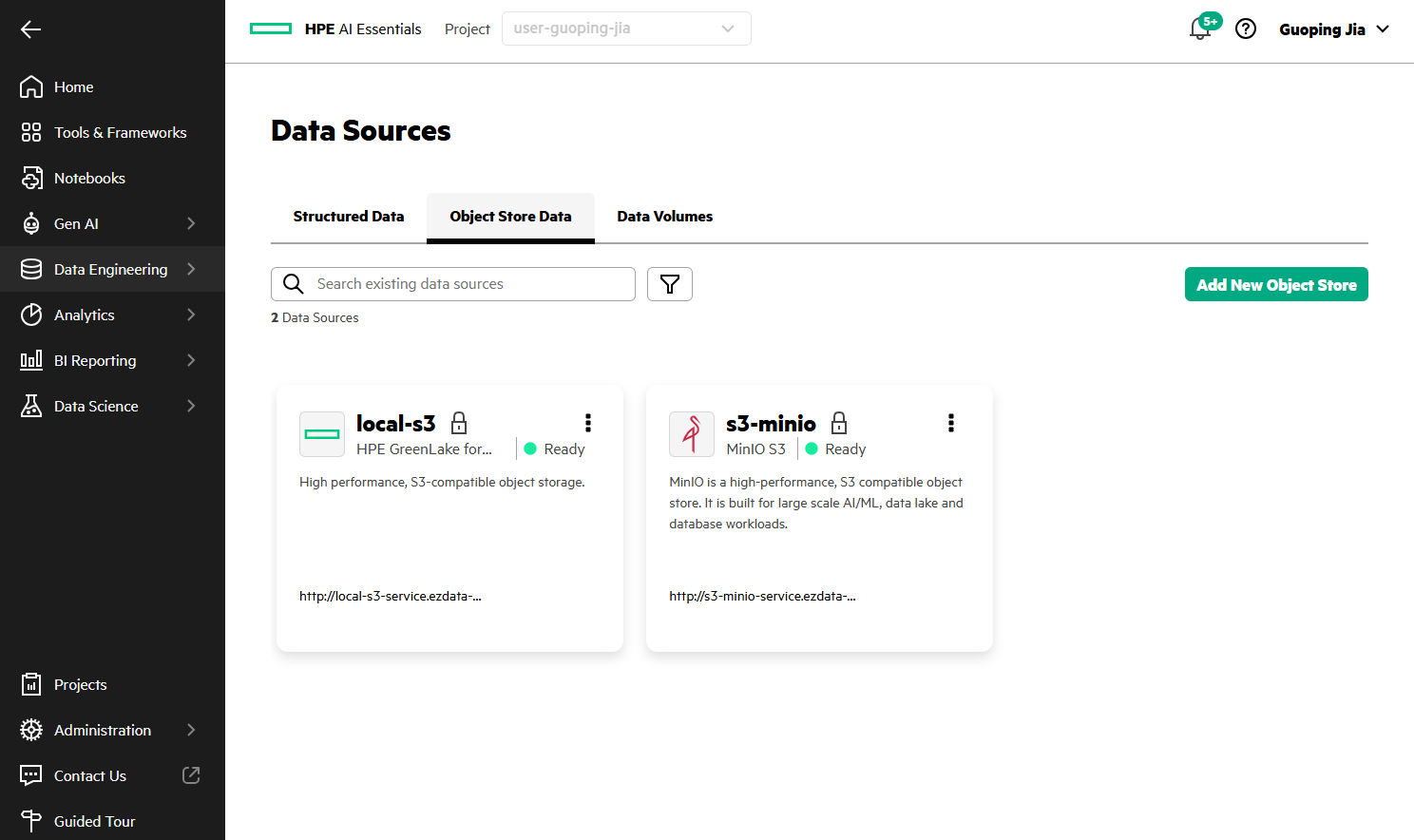
- A new tile named 's3-minio', displaying its endpoint URL (for example, 'http://s3-minio-service.ezdata-system.svc.cluster.local:30000') now appears on the Data Sources page.
Model registry configuration and deployment in MLIS
HPE Machine Learning Inference Software (MLIS) is natively integrated into PCAI to provide a production-ready, standardized runtime for large-scale AI inference, and the following sections detail the configuration of the S3-based model registry, the creation of a LLM model using this registry, and its deployment through vLLM within MLIS.
Define a local S3 model registry
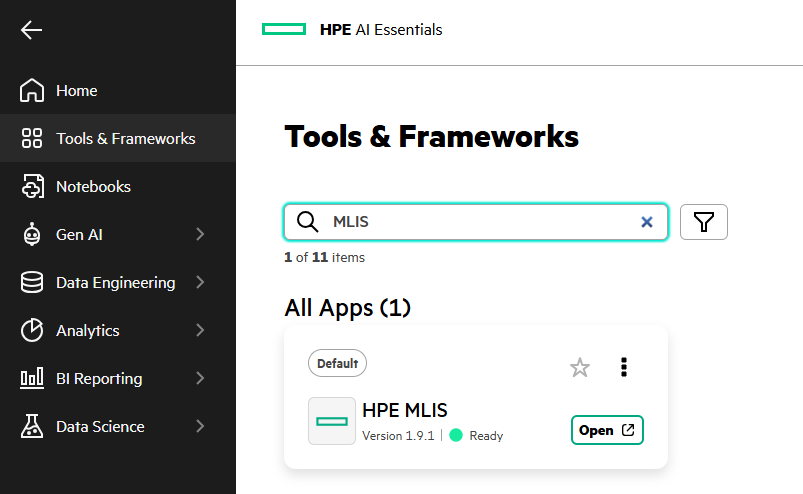
- In the PCAI left navigation panel, go to Tools & Frameworks, and select the HPE MLIS tile. Click Open.
- Navigate to Registries. Click Create Registry.
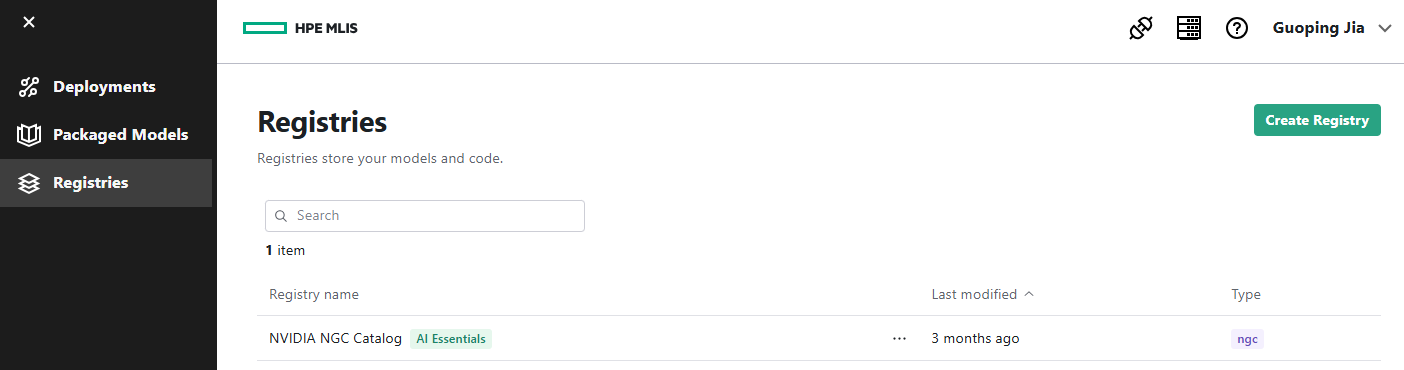
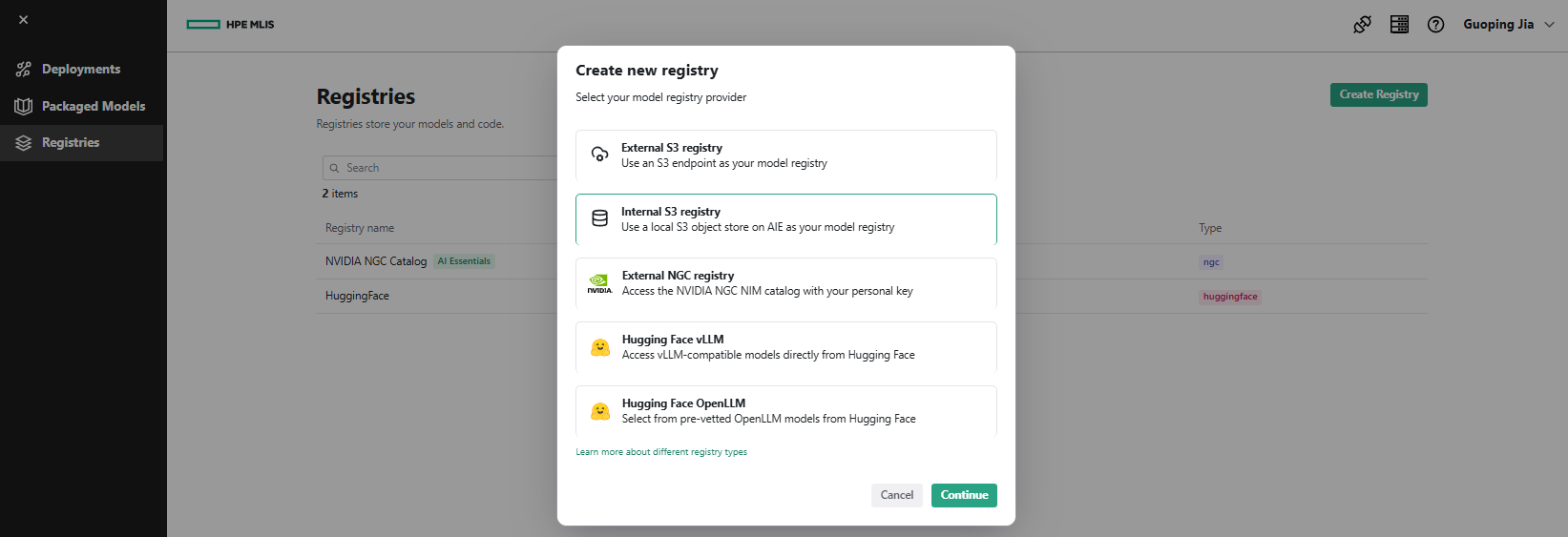
- Select Internal S3 registry as the model registry provider. Click Continue.
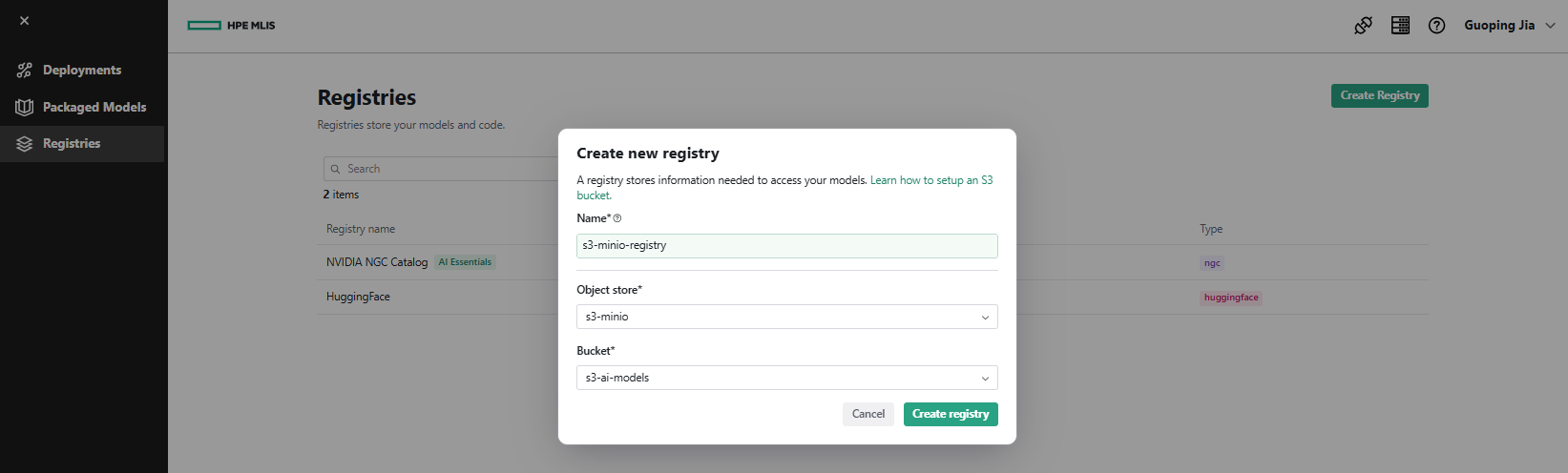
- Enter Name as 's3-minio-registry', choose Object store as 's3-minio', and select Bucket as 's3-ai-models'. Click Create registry.
- A registry named 's3-minio-registry' now appears on the Registries page.

Create a packaged model
- In MLIS, navigate to Packaged Models and click Create Packaged Model. Under the Your model tab, enter Name as 'qwen3-06b-basae' and Description as 'Qwen3-0.6B-Base'. Click Next.
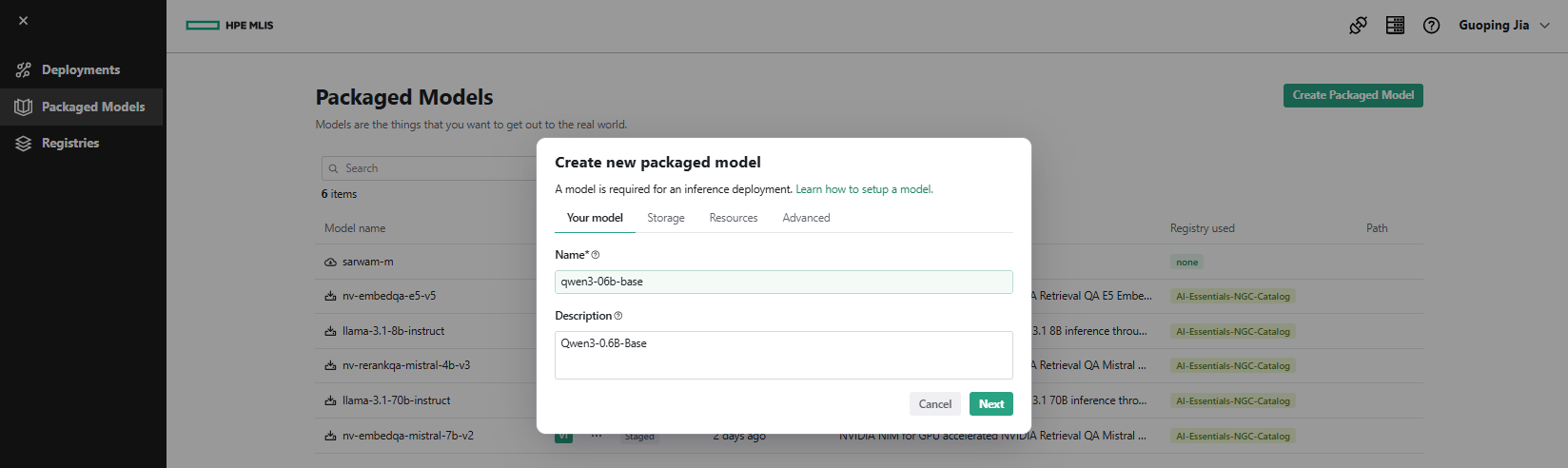
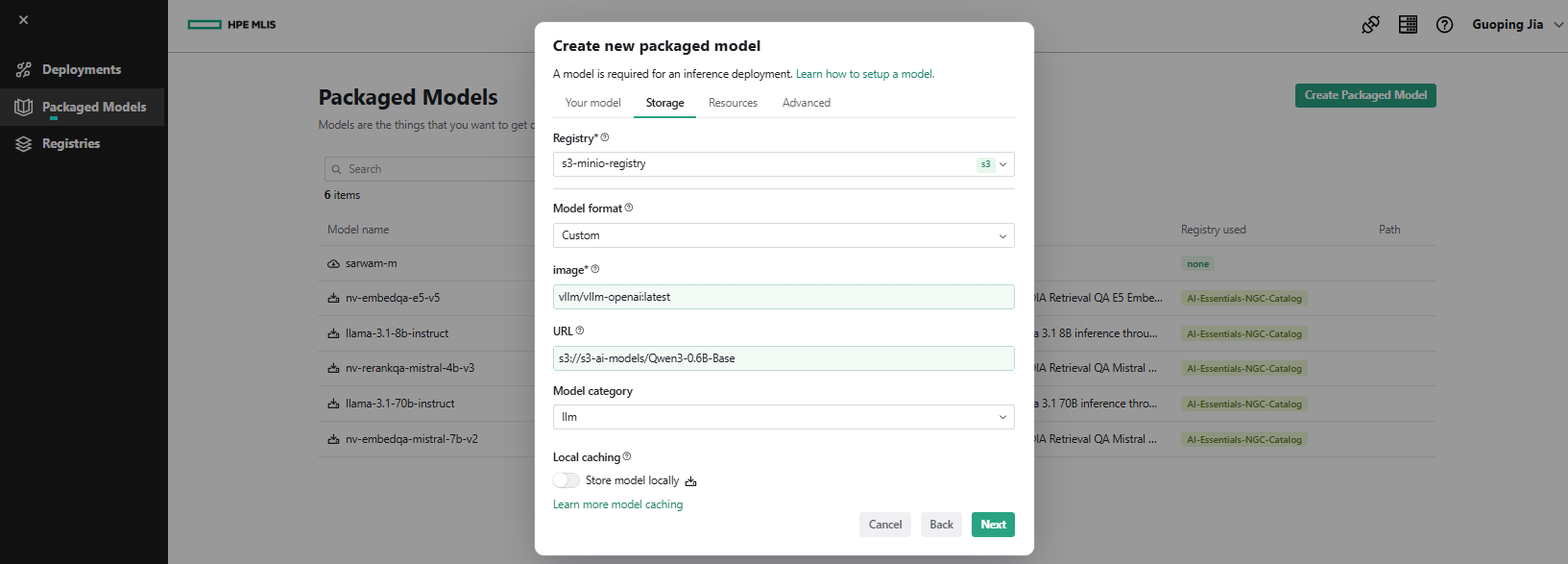
Under the Storage tab, set Registry to 's3-minio-registry', choose Model format as 'Custom', specify image as 'vllm/vllm-openai:latest', set URL to 's3://s3-ai-models/Qwen3-0.6B-Base', and select Model category as 'llm'. Click Next.
Note: If you use the Playground feature to access the packaged model endpoint, do not select 'Custom' as the Model format. Instead, select 'vLLM' and leave the image field empty. The packaged model will automatically use the default vLLM image supported by the platform.
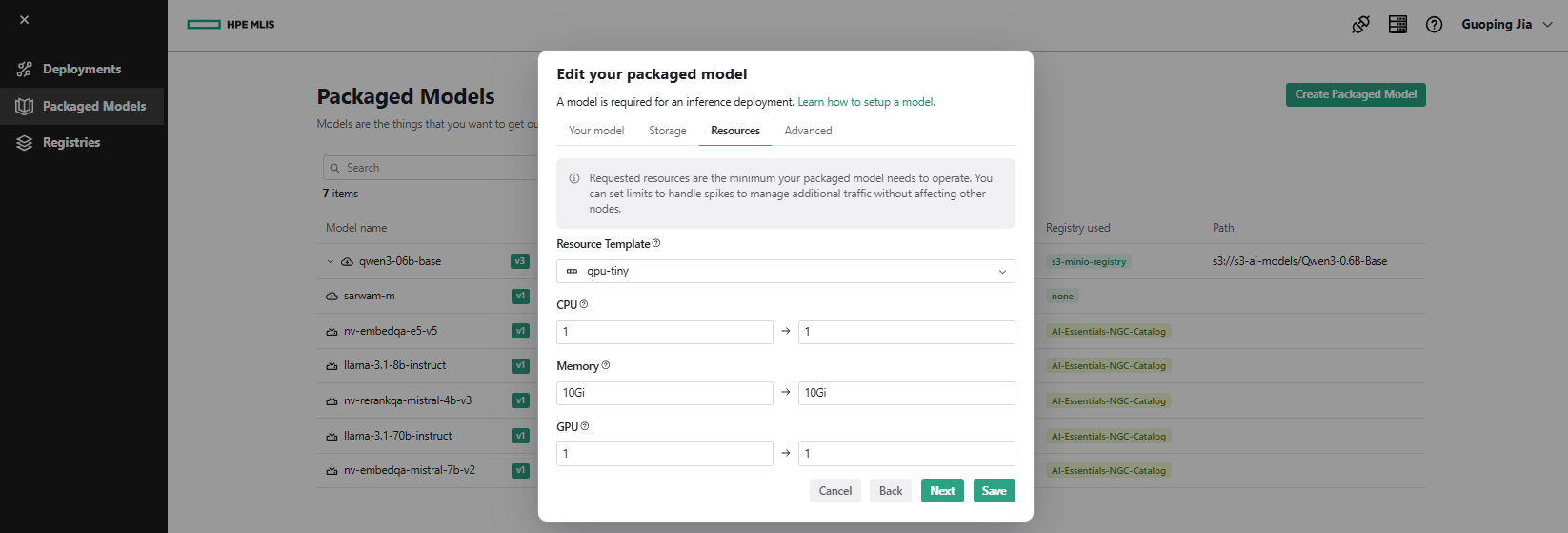
- Under the Resources tab, select Resource Template, for example as 'gpu-tiny'. Click Next.
- Under the Advanced tab, set Arguments to '--model /mnt/models --port 8080'. Click Done.
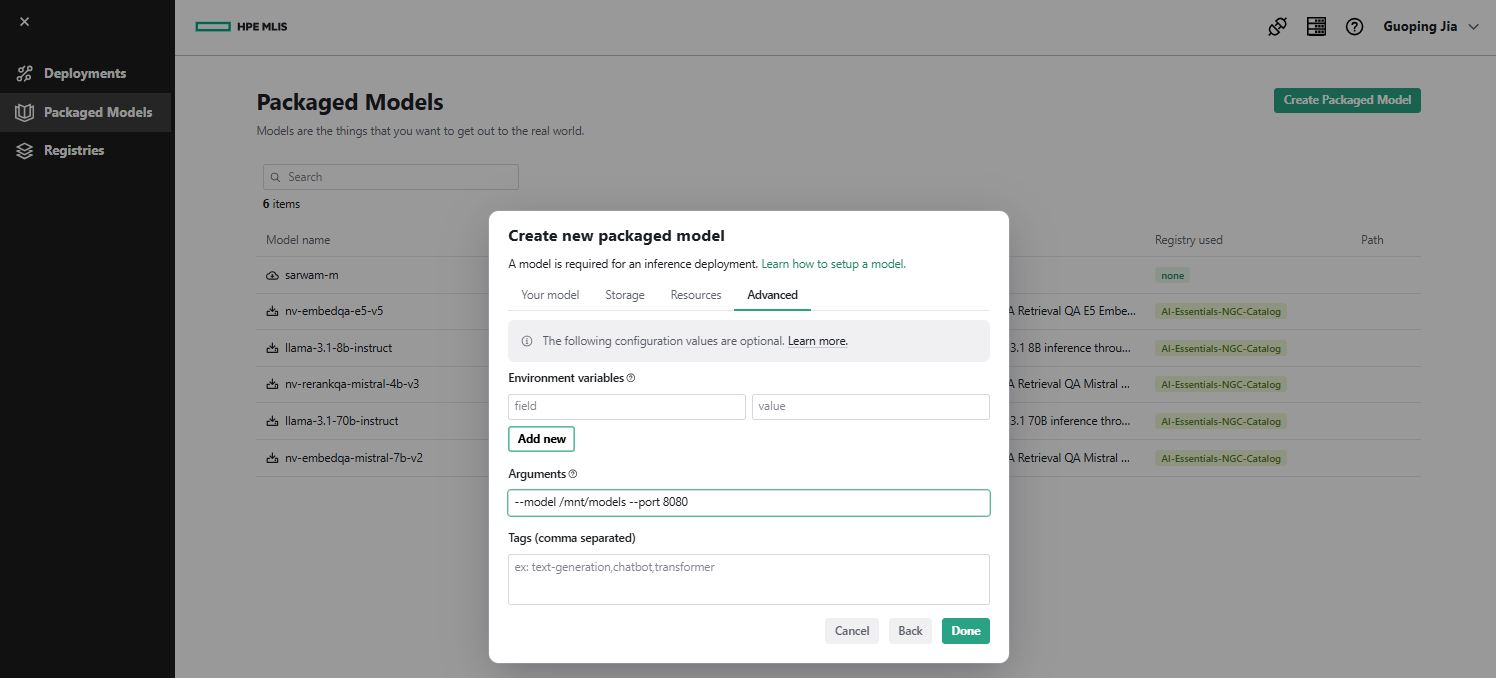
MLIS retrieves the model from the mount point '/mnt/models'.
Create model deployment
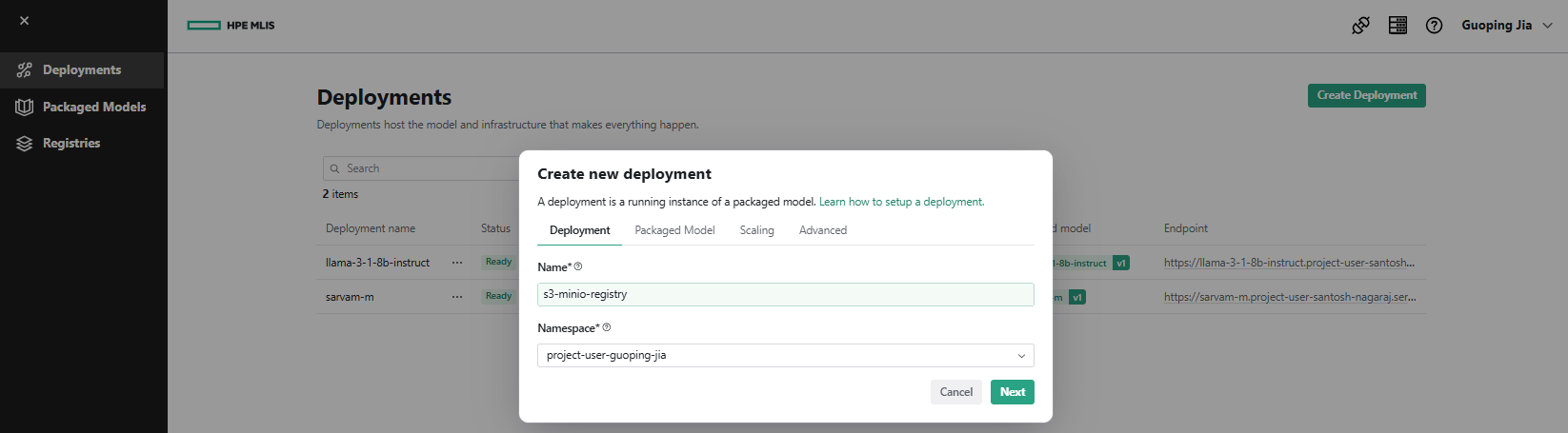
- In MLIS, navigate to Deployments and click Create Deployment. Under the Deployment tab, enter Name as 's3-minio-registry' and select Namespace as 'project-user-guoping-jia'. Click Next.
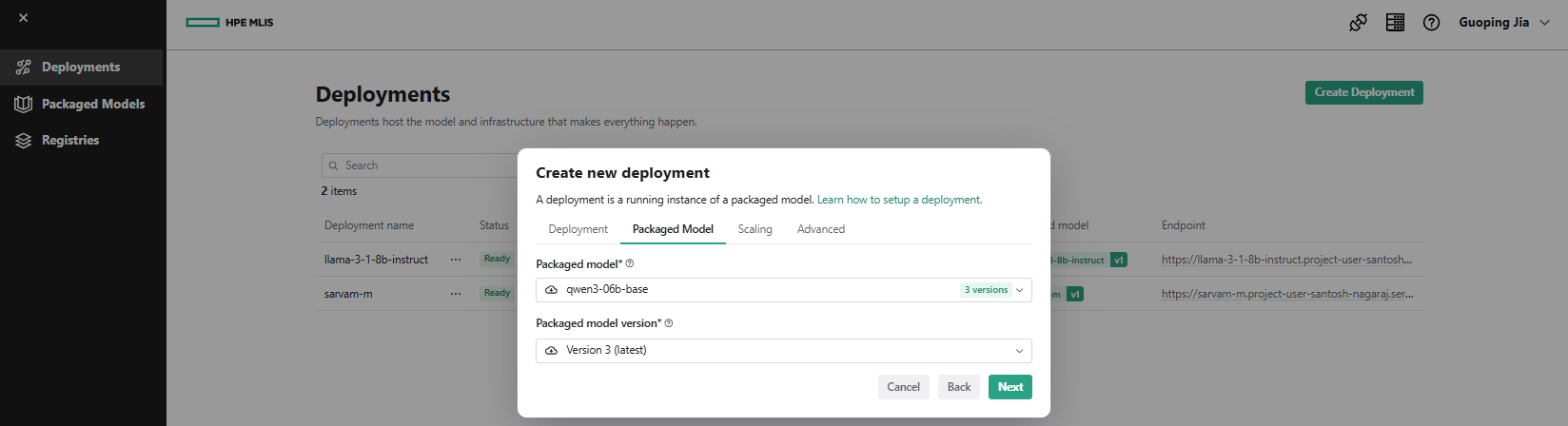
- Under the Packaged Model tab, select Packaged model as 'qwen3-06b-base' from the drop-down. Click Next.
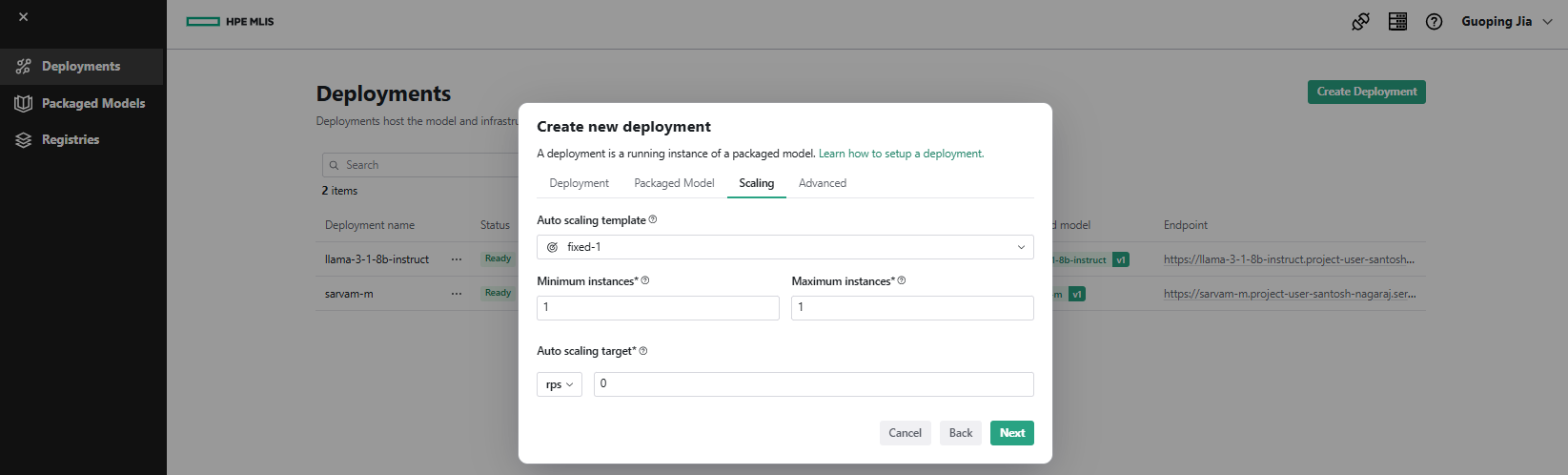
- Under the Scaling tab, select Auto scaling template, such as 'fixed-1'. Click Next.
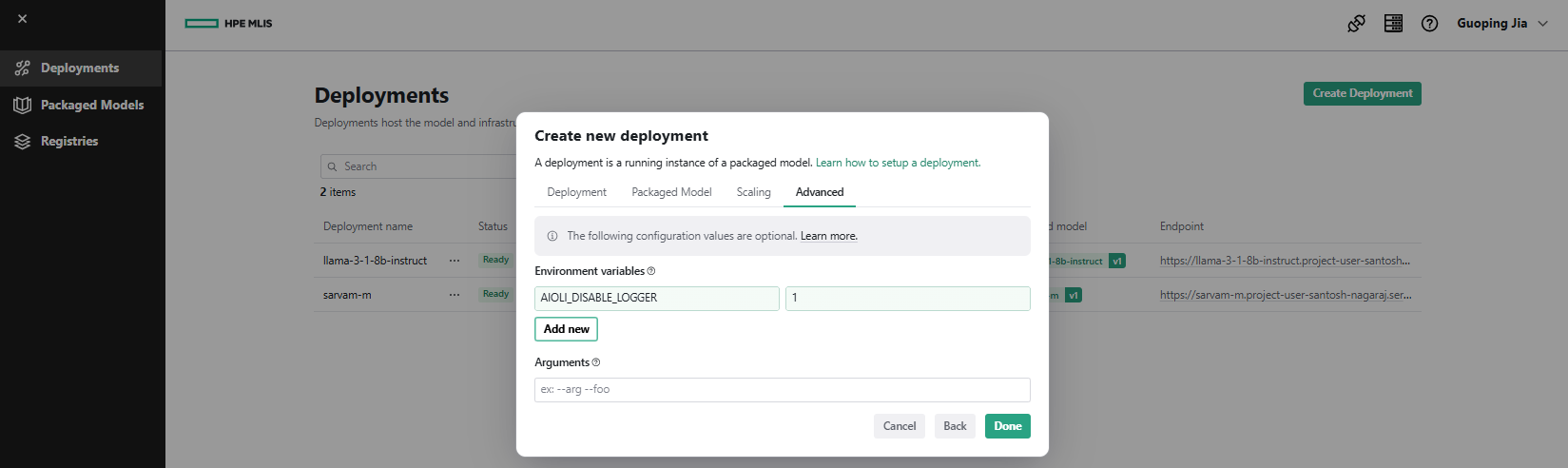
- Under the Advanced tab, add Environment Variables, for example 'AIOLI_DISABLE_LOGGER = 1'. Click Done.
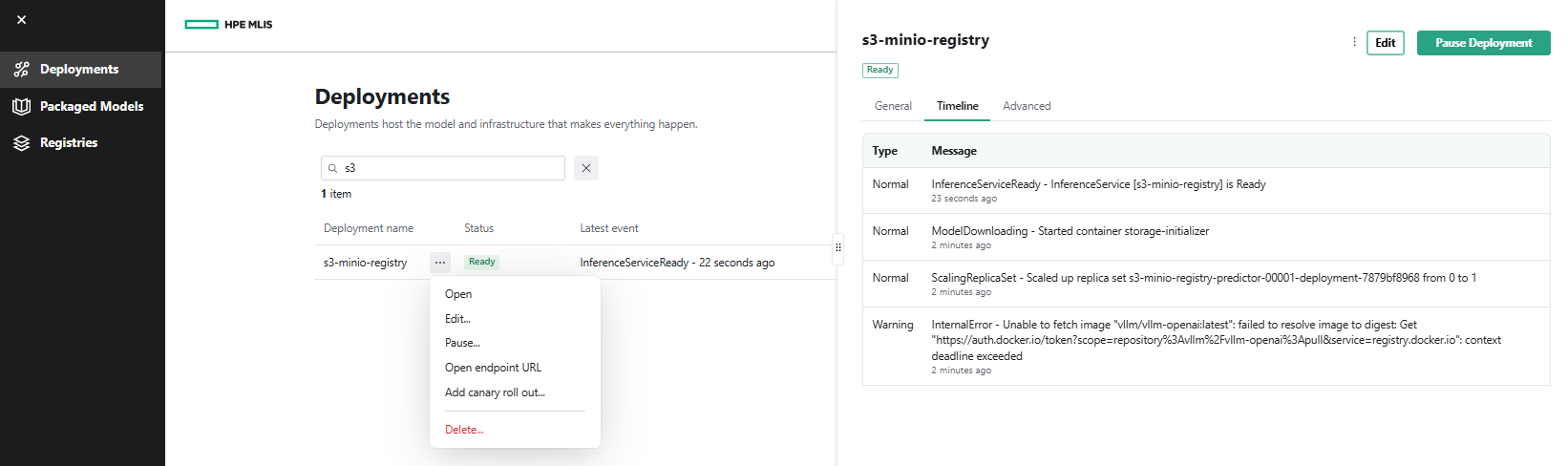
- After a few minutes, the deployment 's3-minio-registry' appears in Ready status on the Deployments page, along with its configured model deployment endpoint, for example: 'https://s3-minio-registry.project-user-guoping-jia.serving.ai-application.pcai0109.dc15.hpecolo.net/'.

- Click the ... menu next to the deployment 's3-minio-registry' and select Open. The Timeline tab displays all model deployment details.
You have successfully configured a new registry backed by the local MinIO S3 data source, packaged the model, and deployed it through MLIS. With managed access tokens provided during configuration, the resulting inference service endpoint can be integrated into a wide range of AI tooling, including the VSCode AI Toolkit and LLM-serving frameworks such as Open WebUI, to enable code generation workflows and virtual assistant capabilities.
Conclusion
This blog post discussed and demonstrated the implementation of a fully local, privacy-preserving LLM deployment using MinIO for centralized S3-compatible model storage and vLLM for high-performance inference, integrated into the PCAI environment through the Import Framework and MLIS. This architecture enables scalable, secure, and cost-efficient LLM operations while eliminating reliance on external APIs or third-party model-hosting services.
A local LLM stack provides a robust foundation for advanced AI initiatives, including RAG pipelines, domain-specific fine-tuning, agent-based systems, and multimodal model integration. By combining S3-compatible storage with vLLM's optimized inference runtime, organizations gain a flexible and extensible platform capable of evolving with emerging AI capabilities without requiring major architectural changes or introducing new vendor dependencies.
Please keep coming back to the HPE Developer Community blog to learn more about HPE Private Cloud AI and get more ideas on how you can use it in your everyday operations.
Tags
Related

Beyond generic AI: achieve contextual accuracy with HPE's Knowledge Bases
Apr 15, 2025
Bring your agent to the next level - Introduce LiteLLM for MCP Cost management and Guardrails
Aug 26, 2026
Build your first AI Chatbot on HPE Private Cloud AI using Flowise and HPE MLIS
Jul 11, 2025
Getting started with Retrieval Augmented Generation (RAG)
Nov 14, 2024
HPE Private Cloud AI: Natural Language to Structured Query Language
May 6, 2026HPE Private Cloud AI: Build your first Agent
Jun 18, 2026Integrating Dagster as a modern data orchestration framework in HPE Private Cloud AI
Apr 19, 2026